

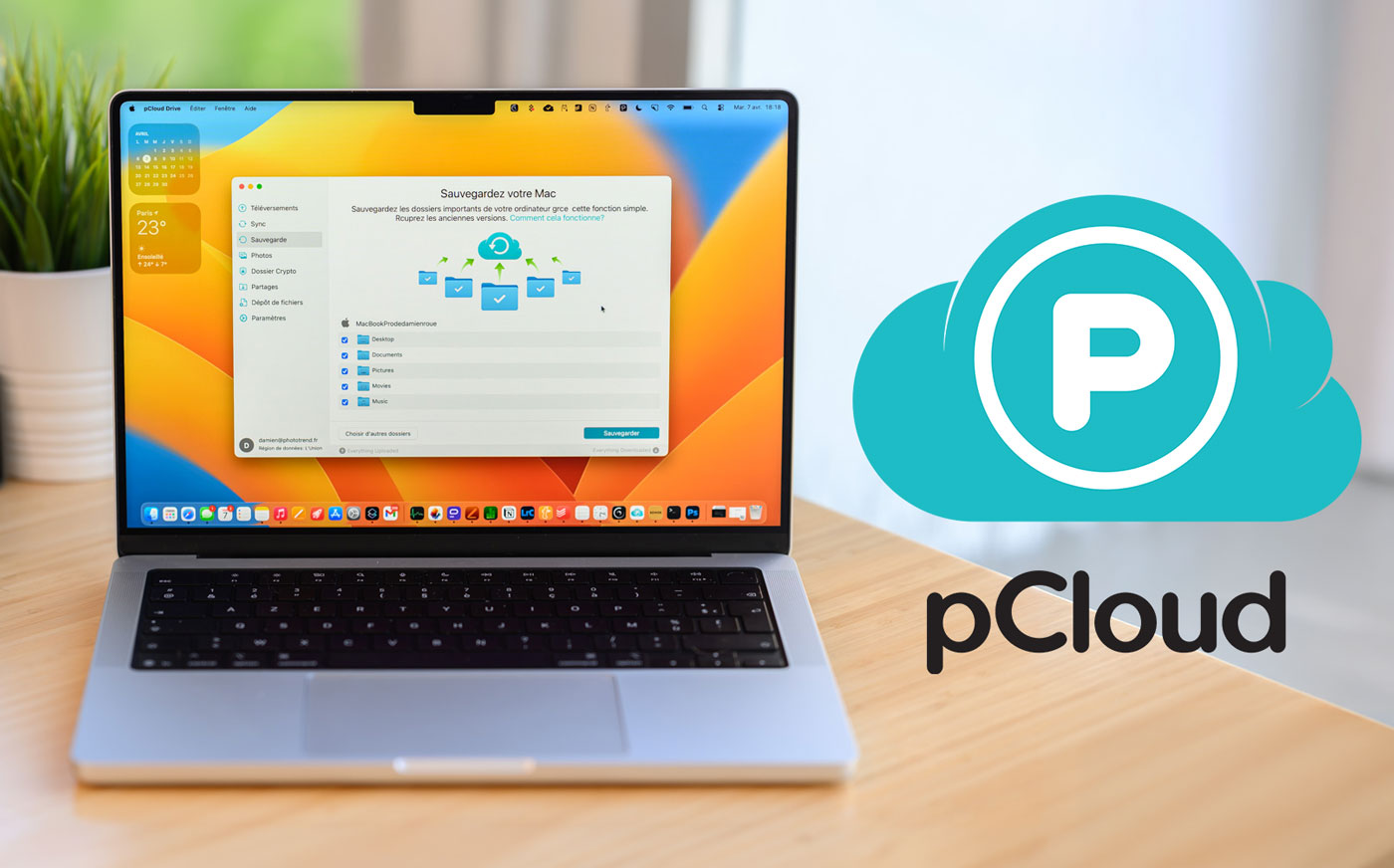

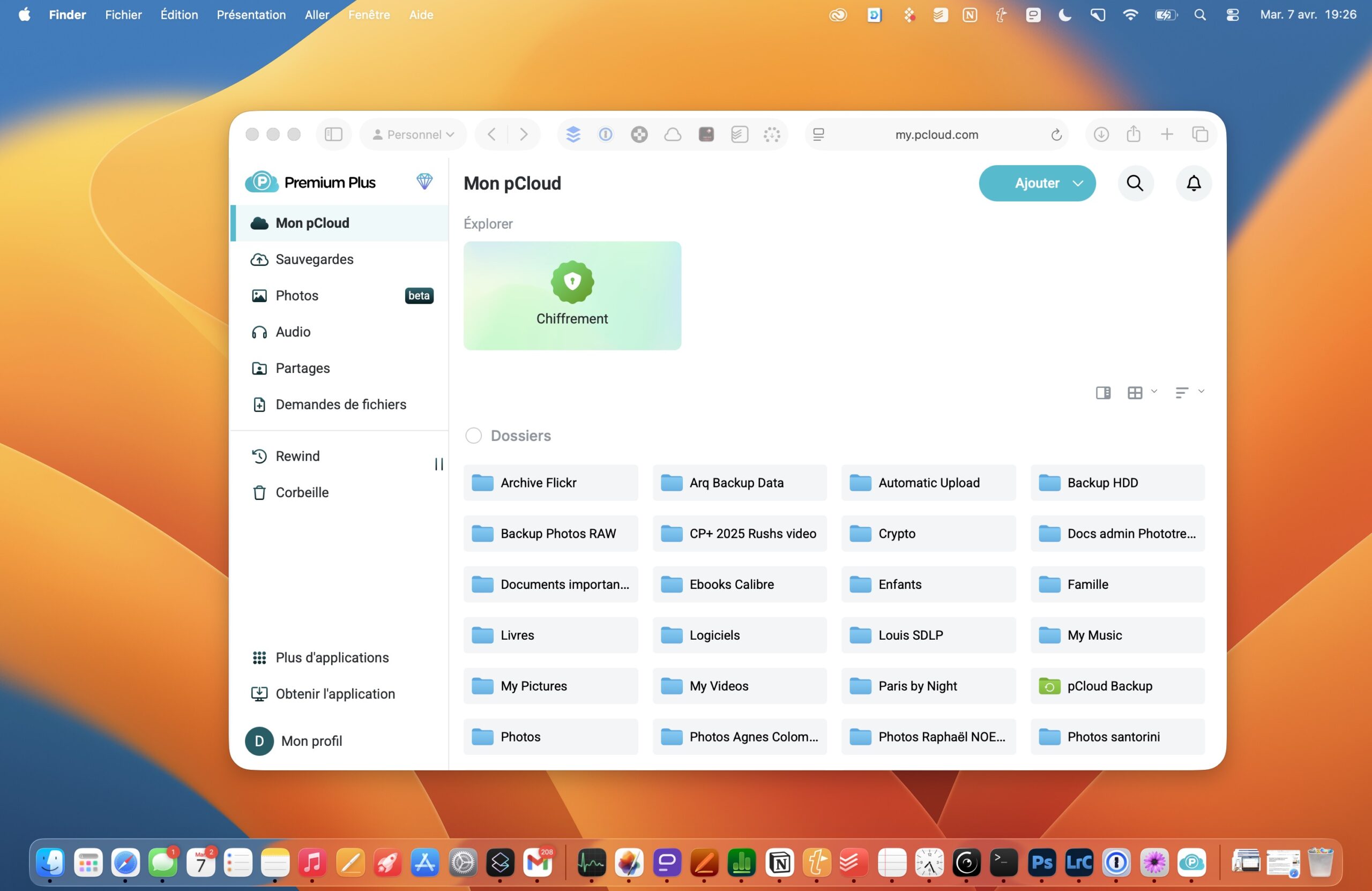
Today, cloud storage has become a recurring expense for photographers, and not just them. 10 € per month here, 12 € there… After a few years, the bill adds up significantly. This is precisely the model that pCloud, a Swiss company founded in 2013, has decided to shake up with a radical approach: a one-time payment for lifetime access. 399 € for 2 TB, and you never think about it again.
At Phototrend, we have been following pCloud for several years. In 2020, we took the plunge and subscribed to the lifetime 2 TB storage plan. Since then, we use it daily for sending hundreds of RAW files, automatic Mac backup, syncing between machines, gallery sharing…
After several years of intensive use, and having watched the software evolve, it was time to deliver our verdict. Can this European solution truly compete with Google Drive, Dropbox and iCloud? Here is our full review of pCloud.
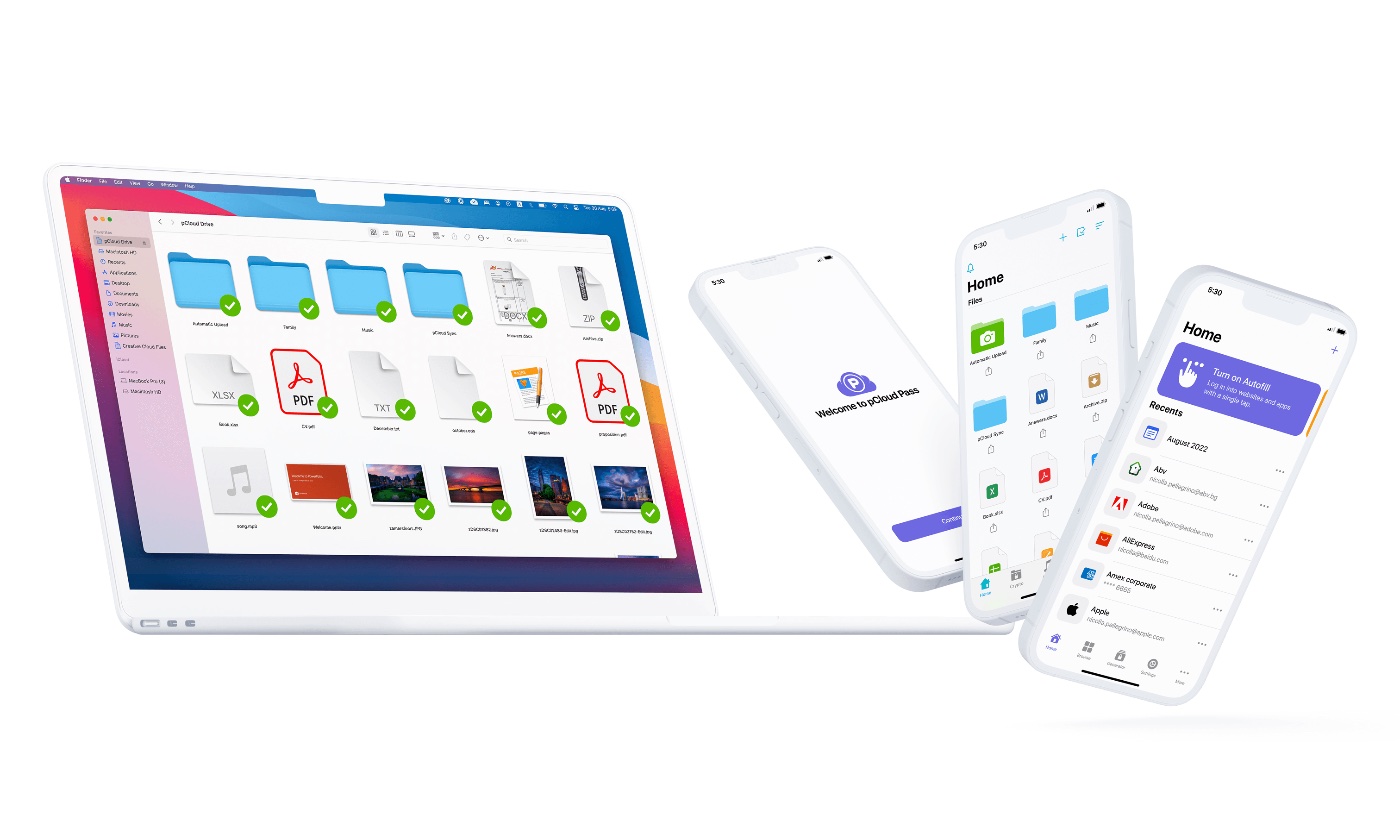
This article is not sponsored. It contains affiliate links: if you subscribe to pCloud through our links, Phototrend receives a commission at no extra cost to you. This does not affect our editorial opinion in any way.
Sommaire
- What is pCloud?
- The “lifetime” model: pay 399 € once for 2 TB of storage for life
- pCloud Drive: automatic backup and sync
- File management: native RAW previews and preserved metadata
- Performance tests: upload and download in real-world conditions
- pCloud upload speed
- pCloud download speed
- Client sharing: branded links and password protection
- Security and sovereignty: the European argument against the Cloud Act
- Conclusion
What is pCloud?
pCloud AG is a Swiss company based in Baar, specializing in secure cloud storage. Launched in 2013, it now claims more than 22 million users worldwide.

Its positioning is clearly European, with servers in Luxembourg for the EU region and strict GDPR compliance, and above all a genuine alternative to American tech giants subject to the Cloud Act (more on that below).
The service is available across multiple platforms: macOS and Windows, a web interface, and iOS and Android mobile apps. This lets you access your files from any device.
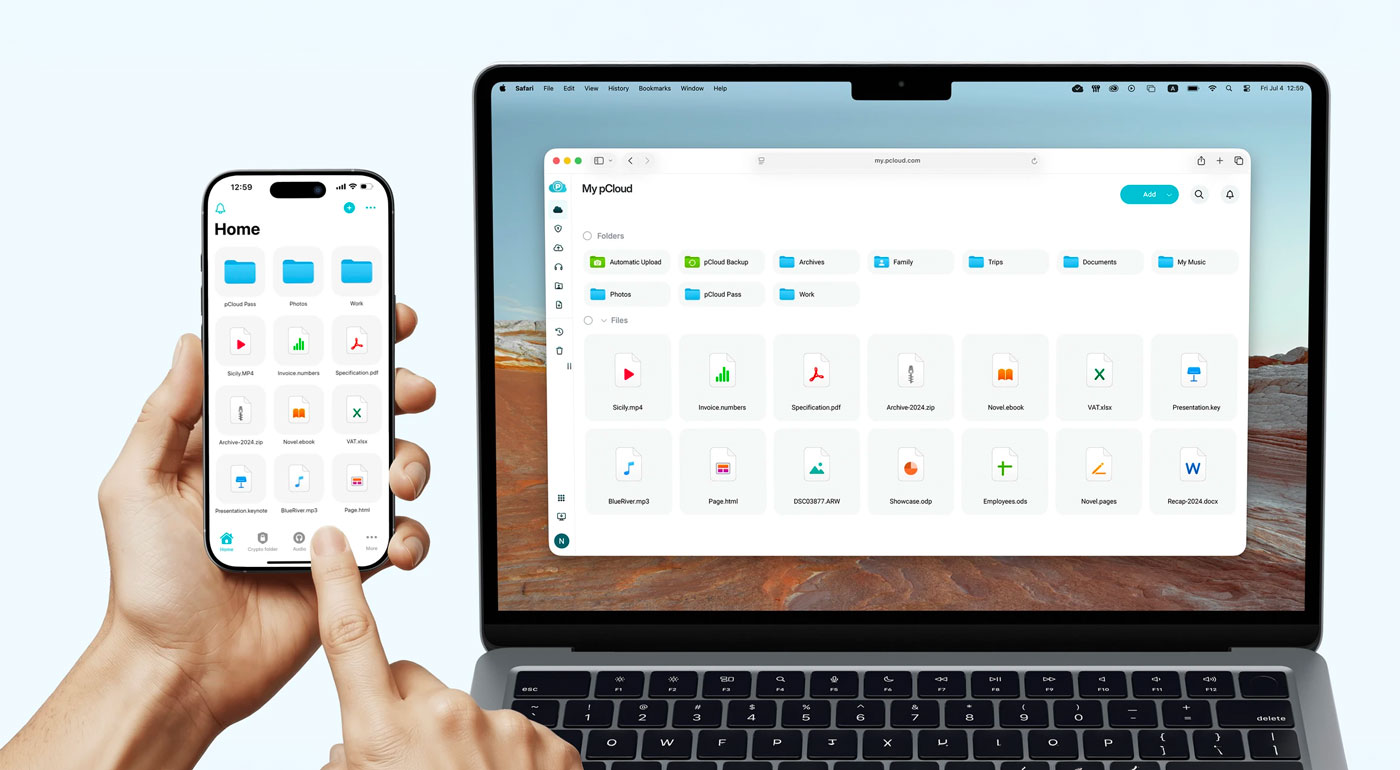
The company has evolved considerably since its early days. Initially focused on pure storage, pCloud now offers a complete ecosystem: pCloud Crypto for client-side encryption, pCloud Pass as a password manager, pCloud Family for sharing between up to 5 users, and since late 2024, pCloud Photos with a built-in image editor.
A crucial point for French photographers: your data can be hosted exclusively in Luxembourg, under European Union jurisdiction. The region choice (EU or USA) is made at sign-up and is permanent, unless you pay a $19.99 migration fee.
The “lifetime” model: pay 399 € once for 2 TB of storage for life
This is pCloud’s flagship argument, the one that catches your eye right from the homepage: one-time lifetime payment. In practice, you pay 399 € for 2 TB of storage, and that’s it. No monthly renewal, no unpleasant surprise in three years when the service raises its prices, even though pCloud also offers monthly and yearly subscriptions.
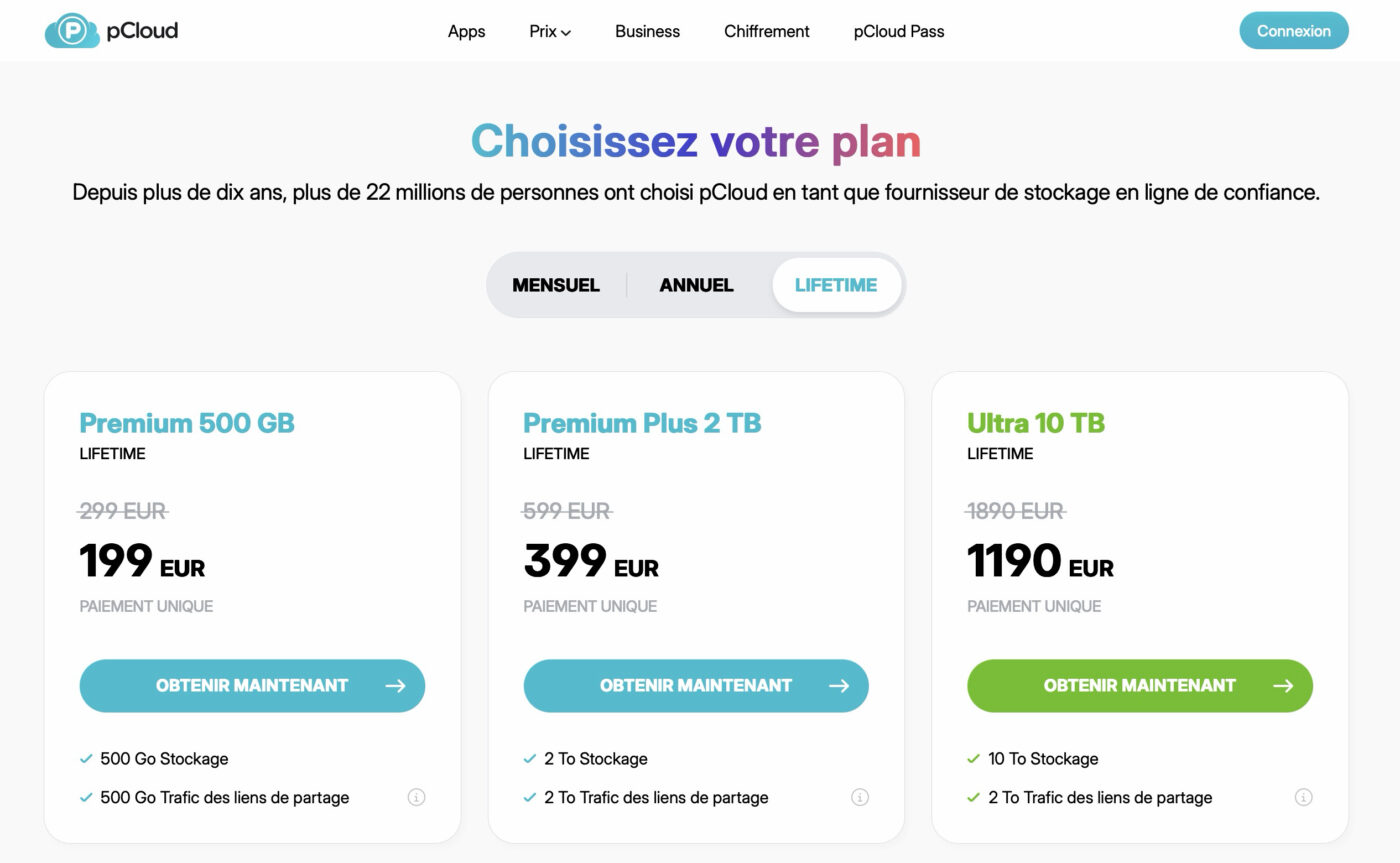
At the time of writing this review, here is the full pricing grid (April 2026)
| Premium 500 GB | 199 € lifetime | 49.99 € / year | 4.99 € / month |
| Premium Plus 2 TB | 399 € lifetime | 99.99 € / year | 9.99 € / month |
| Ultra 10 TB | 1,190 € lifetime | 199.99 € / year | 19.99 € / month |
To put these prices in context, let’s compare with the competition on the 2 TB plan, the one that interests most photographers who store at least a minimum of images online:
- Google One 2 TB: 9.99 €/month, i.e. 119.88 €/year
- iCloud+ 2 TB: 9.99 €/month, i.e. 119.88 €/year
- Dropbox Plus 2 TB: approximately 11.99 €/month, i.e. 143.88 €/year
- Microsoft 365: 6.99 €/month for only 1 TB (99 €/year with Office)
The math is easy. Compared to Google One or iCloud, which charge around 120 €/year, pCloud breaks even by the fourth year. Over 10 years, you save 800 €. Over 15 years, 1,400 €. For a photographer who will be storing archives for decades, the economic argument is massive.
The pCloud Family plan allows sharing the storage space between up to 5 users, each with an independent account and their own private space. Convenient for a family, or even a small business.
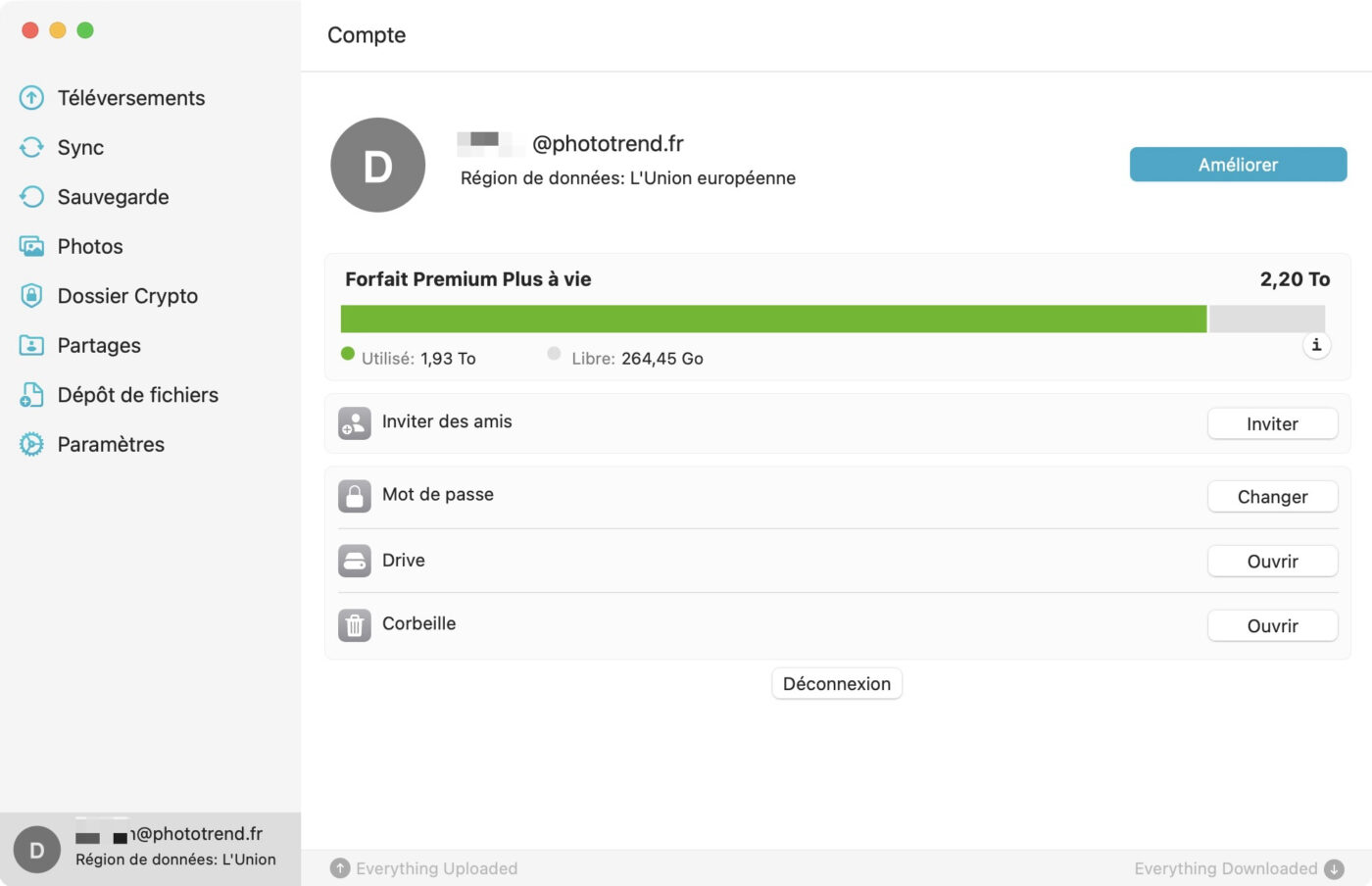
On the other hand, the “lifetime” payment naturally raises questions about the company’s long-term viability. pCloud has been around since 2013, shows steady growth and claims to have reached profitability in 2019, but if you subscribe today and the company shuts down tomorrow, there would be no recourse. This is worth keeping in mind, even though the company has by now achieved a certain legitimacy in the space with 13 years of operation (still less than Phototrend, admittedly…).
pCloud Drive: automatic backup and sync
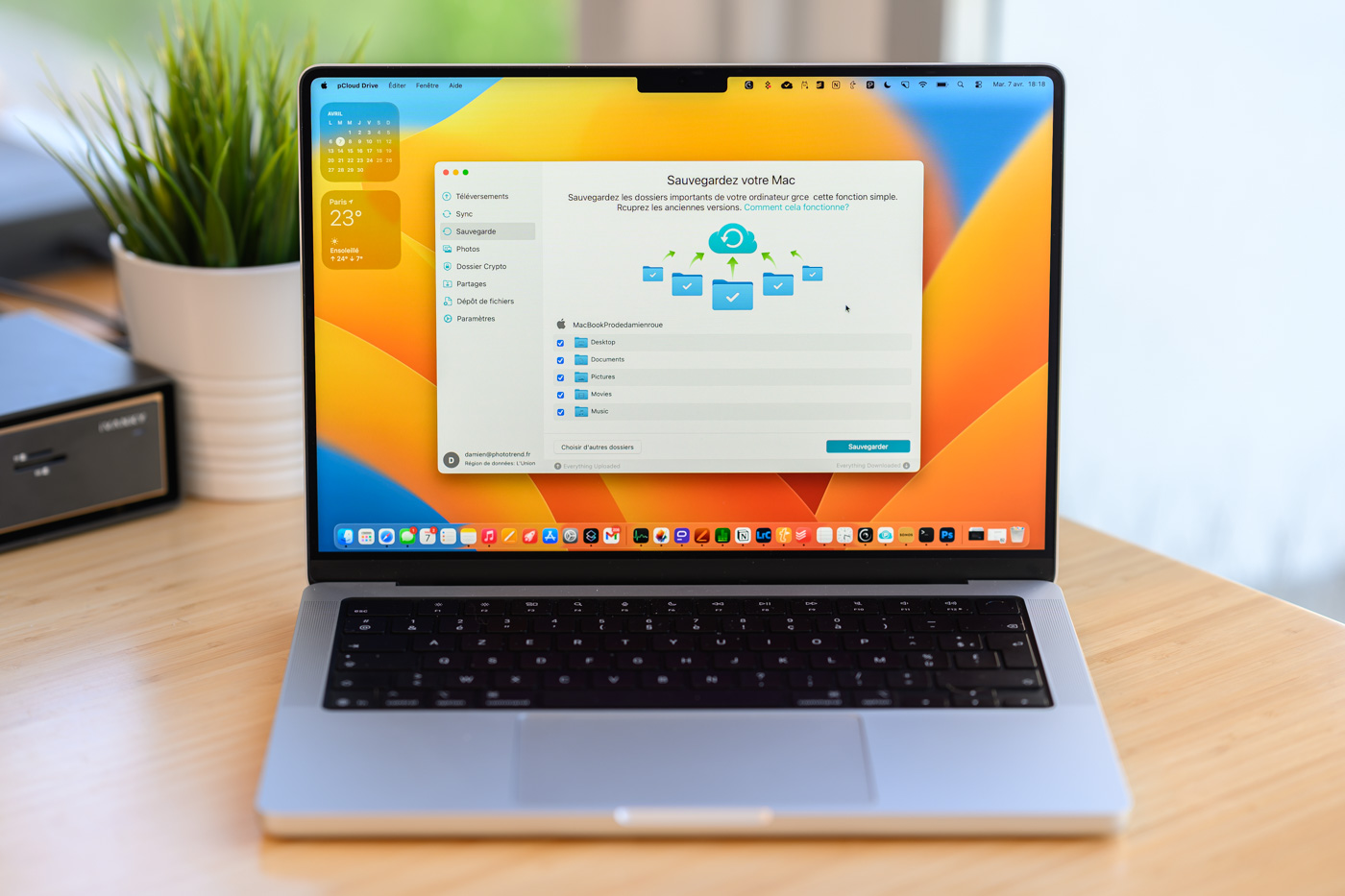
The desktop application pCloud Drive is the heart of the system. Once installed on macOS, Windows or Linux, it creates a virtual drive that (by default) takes up strictly no physical space on your computer, more on that below.
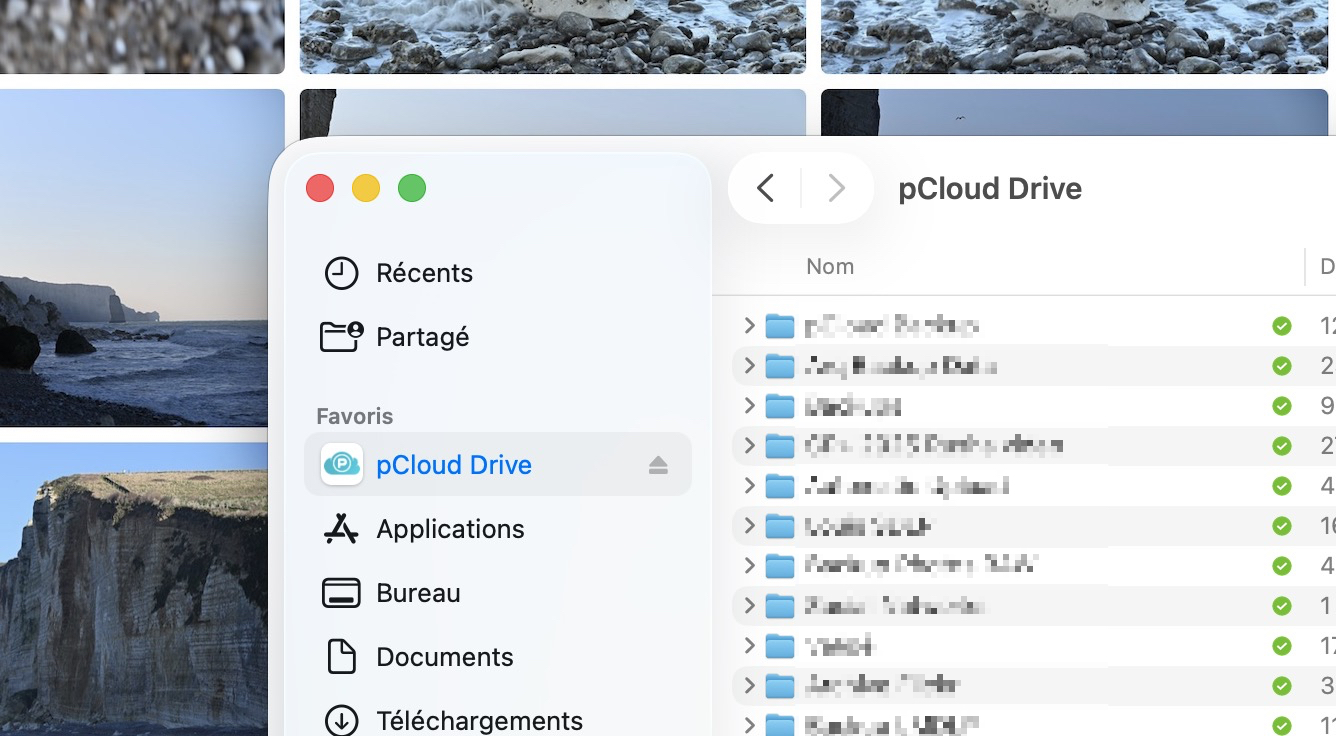
Important note for Mac users: during the initial installation, macOS will ask you to authorize the pCloud system extension from System Preferences (or System Settings on macOS Ventura and later). This step is required for pCloud to “mount” your cloud storage as an external drive in Finder.
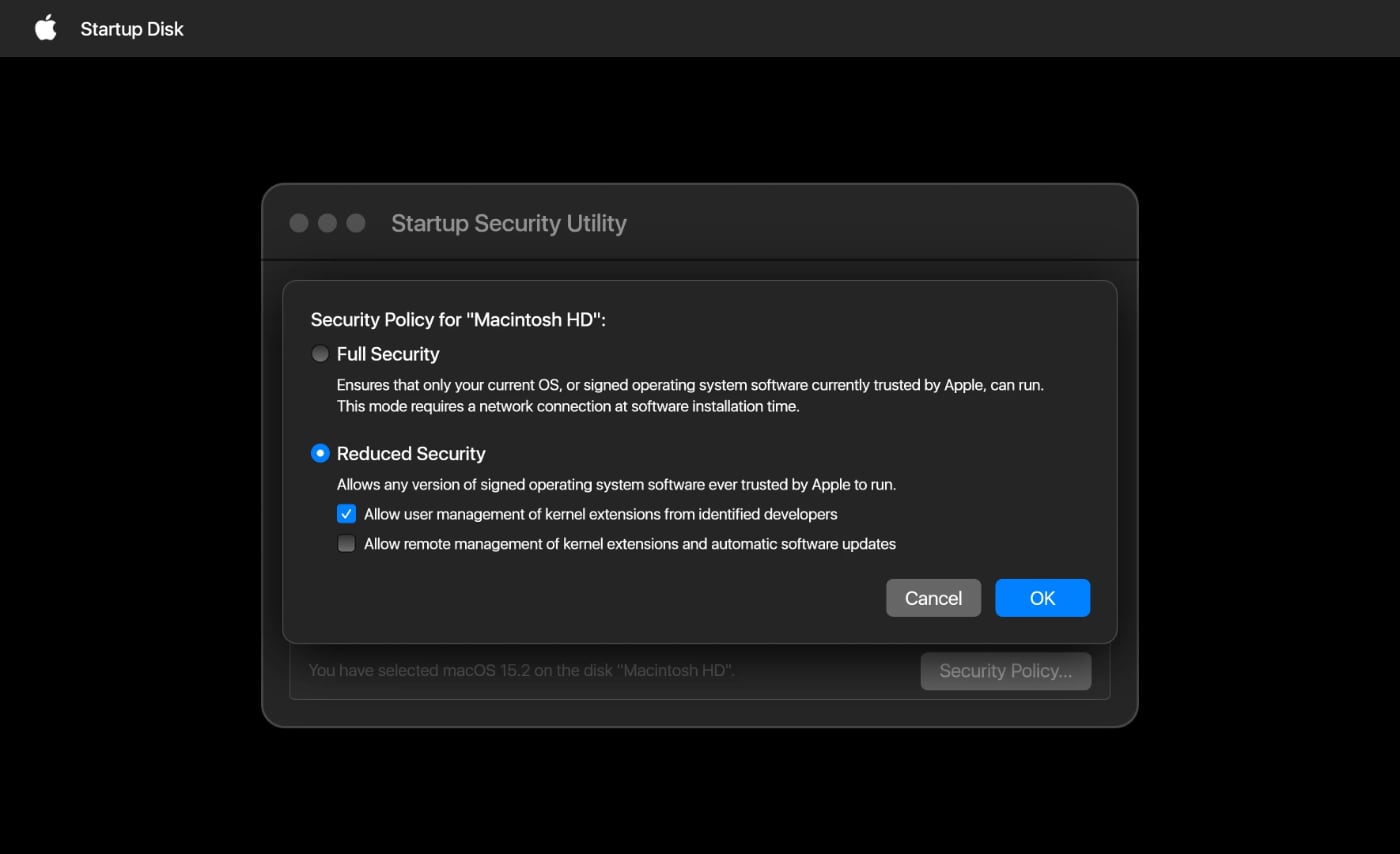
To use pCloud Drive on Macs with Apple Silicon chips, a procedure requires restarting in Recovery mode to modify the security policy (reduced security and manual authorization of kernel extensions). On recent versions of macOS, activation is now simply done from System Settings > Privacy & Security. This used to cause problems on our test machine, but that is no longer the case.
Automatic folder backup
pCloud lets you automatically back up selected folders from your computer to the cloud. You choose which folders to monitor (for example your Photos, Documents, or work folders), and pCloud takes care of backing everything up in the background whenever a file is modified or added.
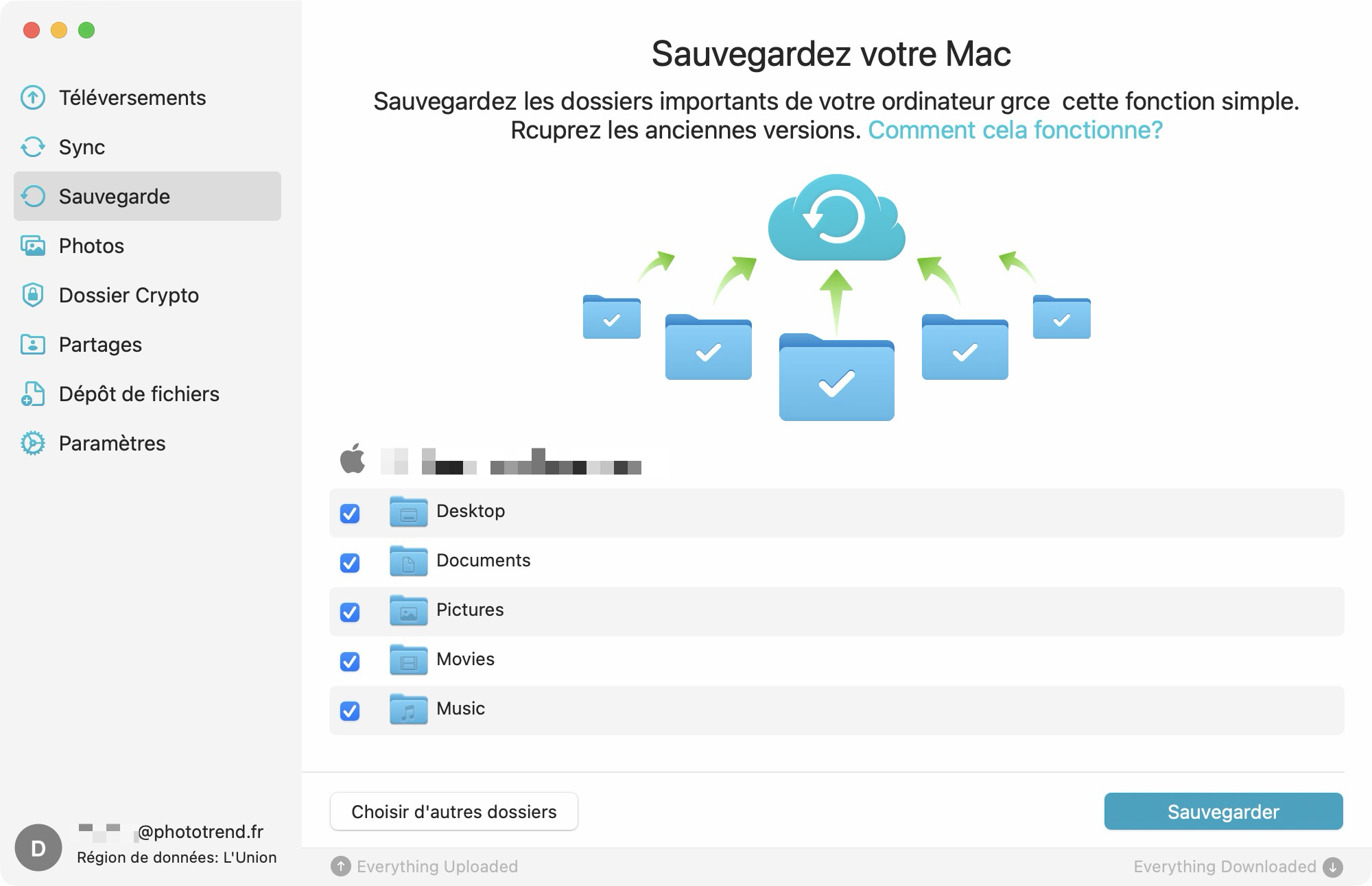
This is very convenient for maintaining a permanent safety copy of your work files without even thinking about it. For a photographer, this means your photo folders can be automatically backed up to the cloud as you import. Be careful though, some may be tempted to back up their Lightroom catalog this way. It is possible, but at your own risk, especially if you plan on working on the catalog from another computer.
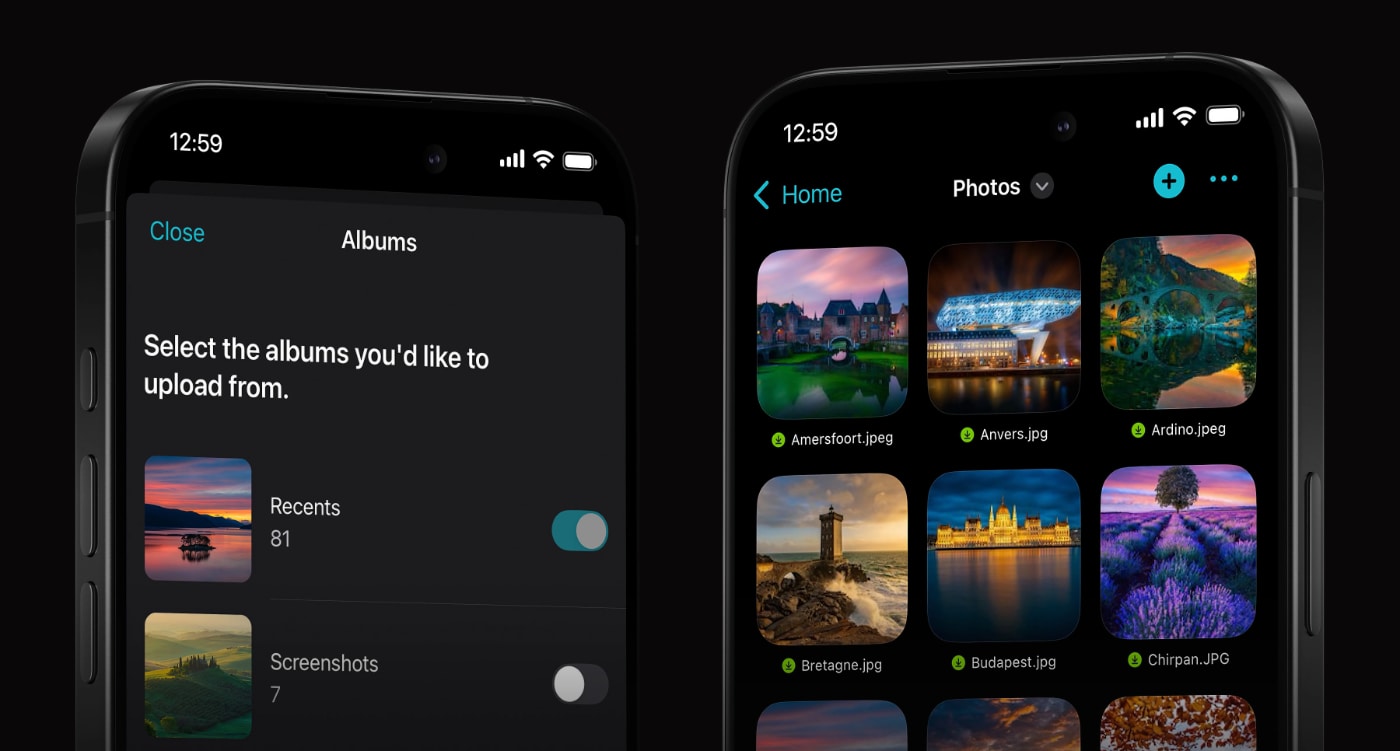
Beyond storing files from a computer, pCloud positions itself as a centralized backup solution. For example, you can back up:
- the content of the Photos app on your smartphone (iOS and Android): photos and videos
- your other cloud storage services: Google Drive, OneDrive, Dropbox, or even Google Photos
This last point is particularly interesting for consolidating your scattered data. pCloud lets you import the contents of your other cloud services directly into your pCloud space.
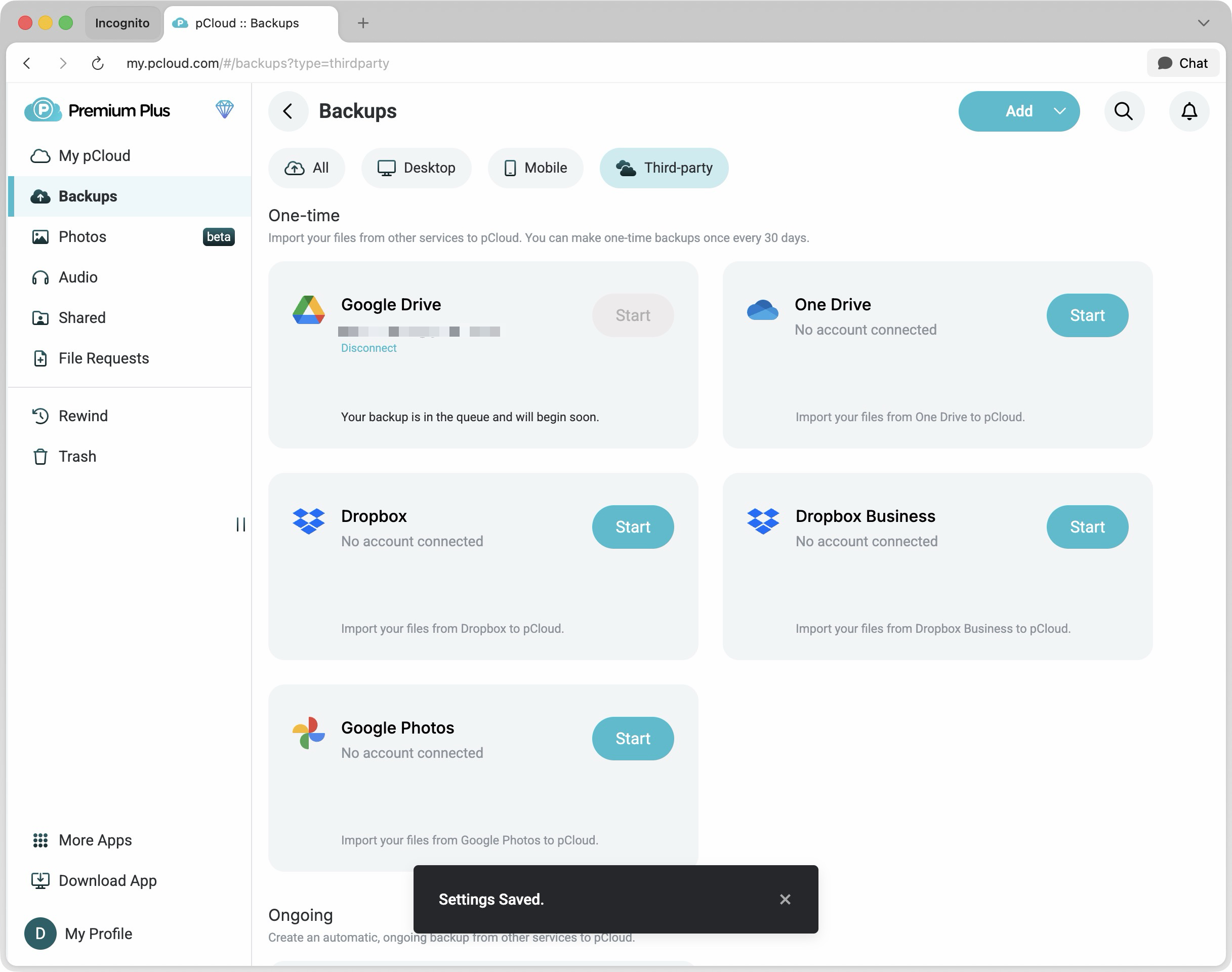
A word of caution though: this import is manual and limited to once per month per service. So it is not a continuous sync, but rather a migration or one-off backup feature, which remains very handy for centralizing your archives.
Synced folders: useful but handle with care
pCloud also offers bidirectional synchronization: your files are synced with pCloud, allowing you to access them automatically across multiple computers. Edit a file on your MacBook, and it will be automatically updated on your desktop Mac, for example.
Here again, caution is warranted: this sync works as a “mirror”, meaning that if you delete a file on one computer, it will also be deleted from the cloud and from all other synced computers.
For important photo archives, this behavior can be risky. An accidental deletion propagates everywhere. In that case, the one-way automatic backup mode is a safer choice than full sync. However, as we will see later in this review, pCloud offers safety features in case of photo deletion.
Optimized storage on your drive
pCloud Drive can optimize the disk space used by files already backed up online. For example, if you have a 100 GB folder on pCloud, pCloud Drive will only take up a few MB on your internal SSD by default.
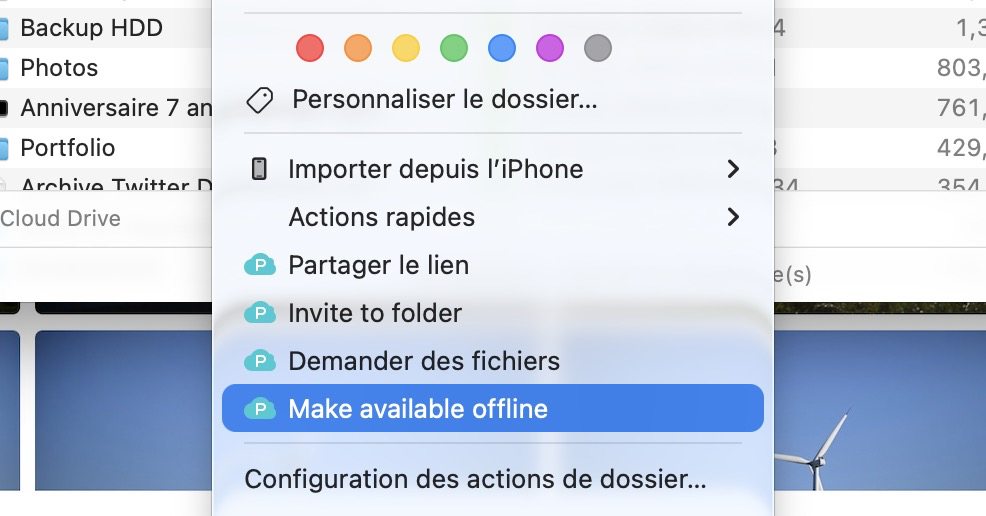
Files remain in the cloud and are downloaded on demand when you open them. Very practical when you have a MacBook with 256 GB of internal storage, as you can imagine. This is the same behavior as Google Drive or Dropbox.
However, if you want to keep a local copy of certain files you need regular access to, especially offline, you can right-click the file or folder and choose “Make available offline” (oddly, pCloud has not translated this text).
Versioning, Rewind and Extended File History
Among the interesting features worth exploring, we should also mention file history and trash recovery, available for 30 days with the standard Premium plan. pCloud also offers a “Rewind” feature that lets you look back up to 60 days into the past.
This feature is handy, a sort of Time Machine for your cloud storage, giving you access to a snapshot of your files at any point in the past.
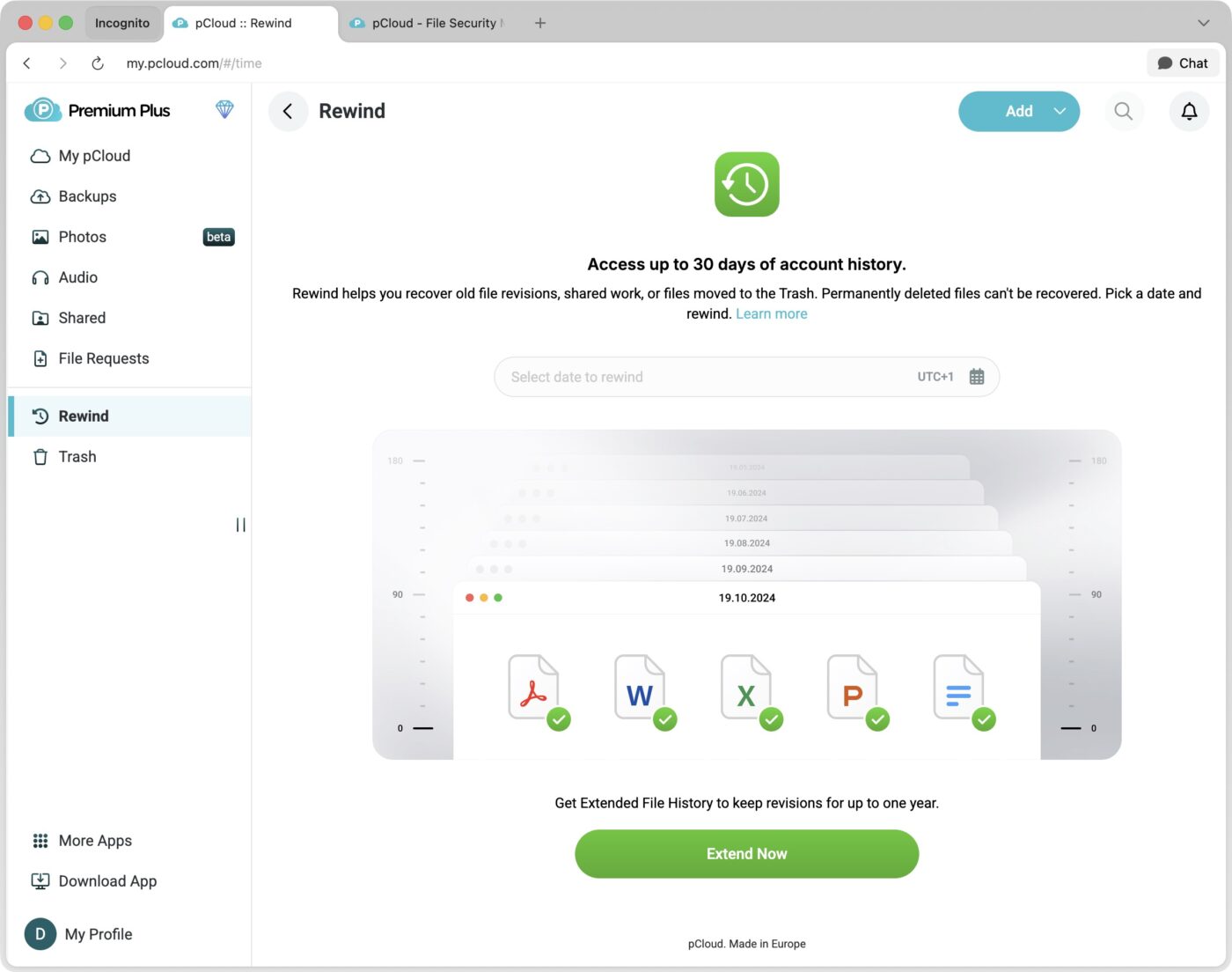
For maximum protection, pCloud also offers an Extended File History option (79 € one-time payment) that extends this period to 365 days for file history, trash recovery and the Rewind feature.
File management: native RAW previews and preserved metadata
For a photographer, the critical question concerns image format support. Good news: pCloud generates previews for all major RAW formats: CR2/CR3 (Canon), NEF (Nikon), ARW (Sony), RAF (Fujifilm), DNG, ORF (Olympus), RW2 (Panasonic).
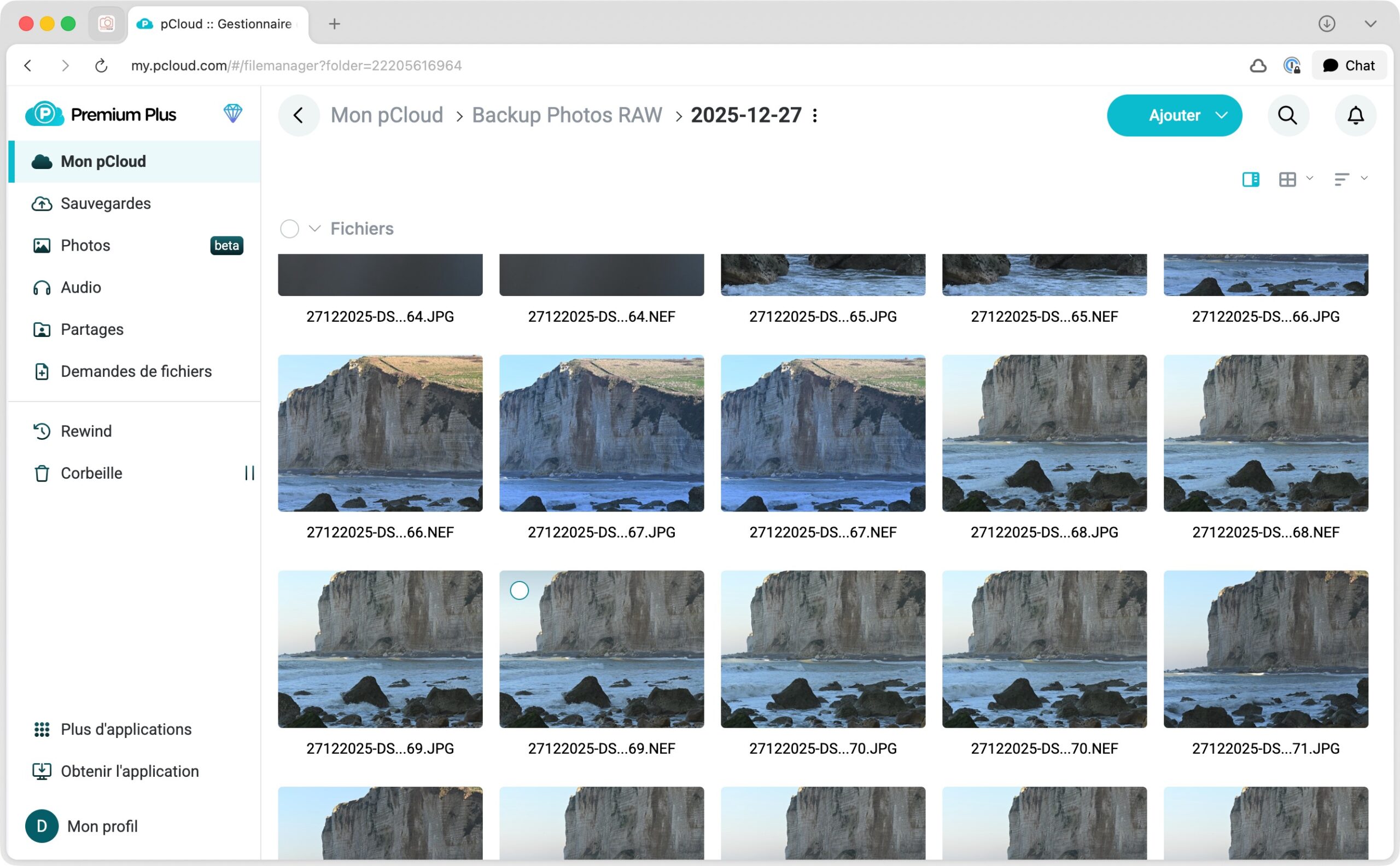
These thumbnails display instantly in the web interface and mobile apps, without needing to download the full file first. For quickly browsing through a gallery of several hundred photos to find the one you are looking for, it is a real convenience.
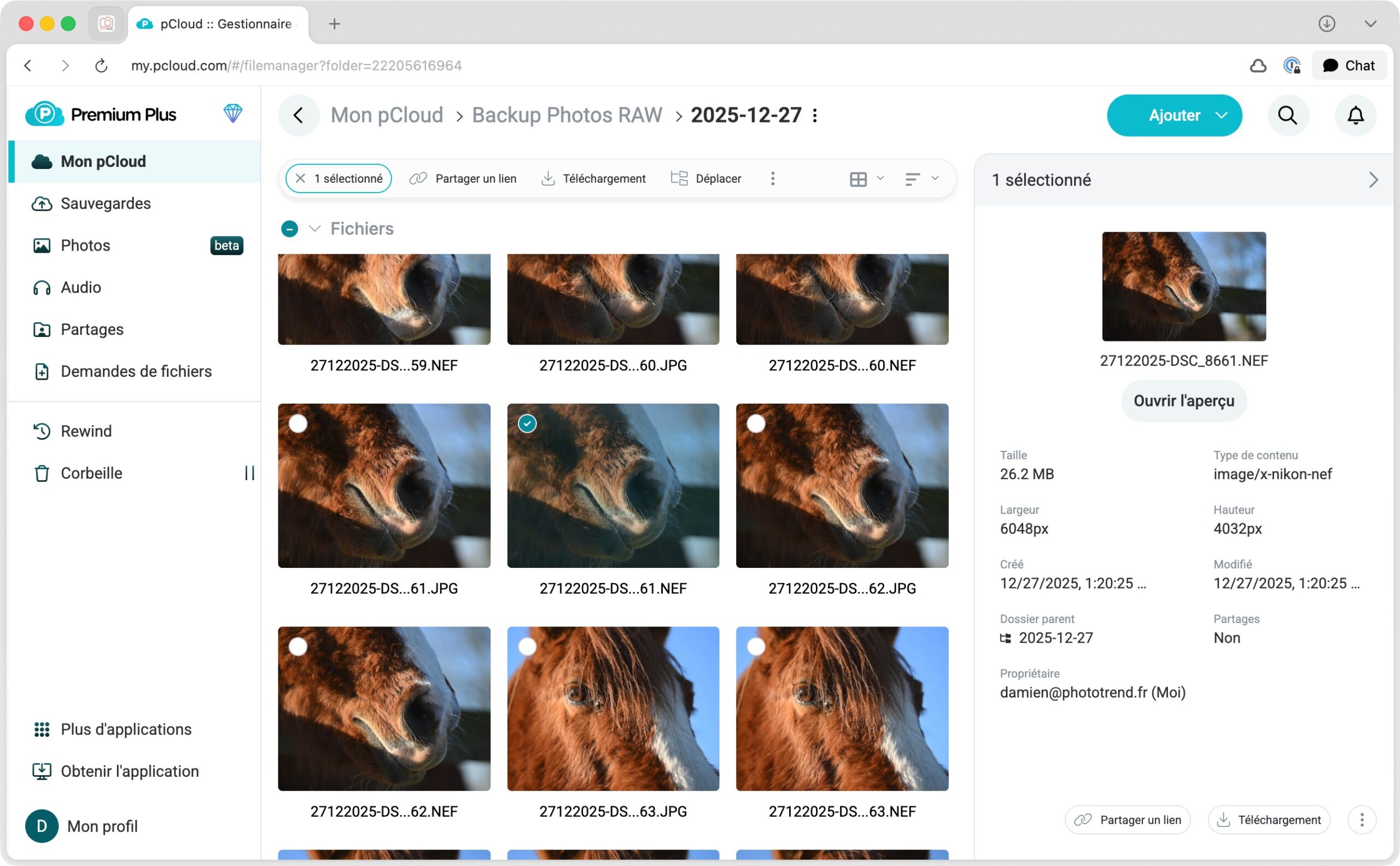
pCloud also has a “Photos” tab that automatically filters your image files from the rest of your storage, more on that below.
The built-in photo editor: gimmick or genuinely useful?
Since late 2024, pCloud Photos includes a basic editor allowing quick adjustments to your images from pCloud web: brightness, contrast, saturation, temperature, crop, 9 preset filters.
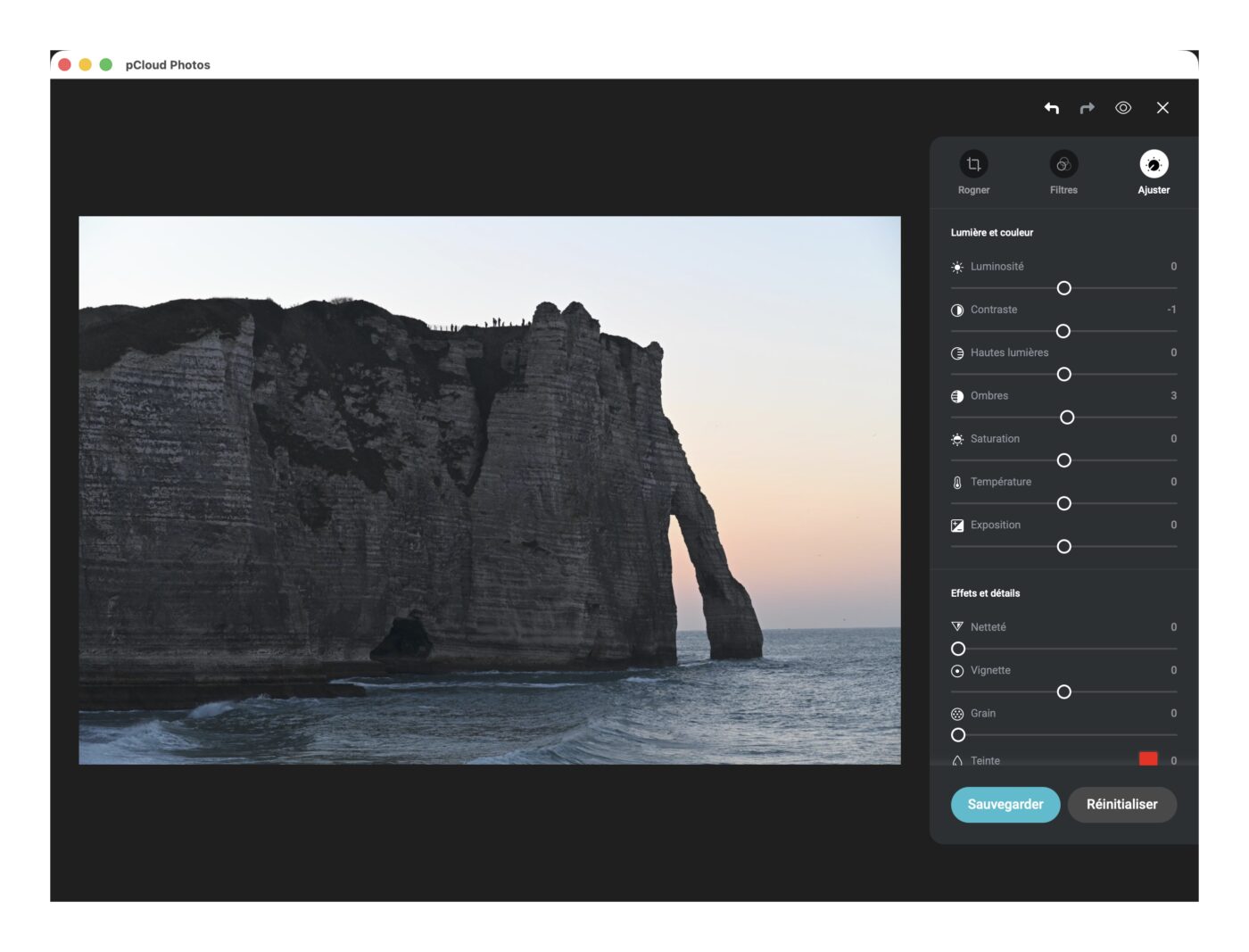
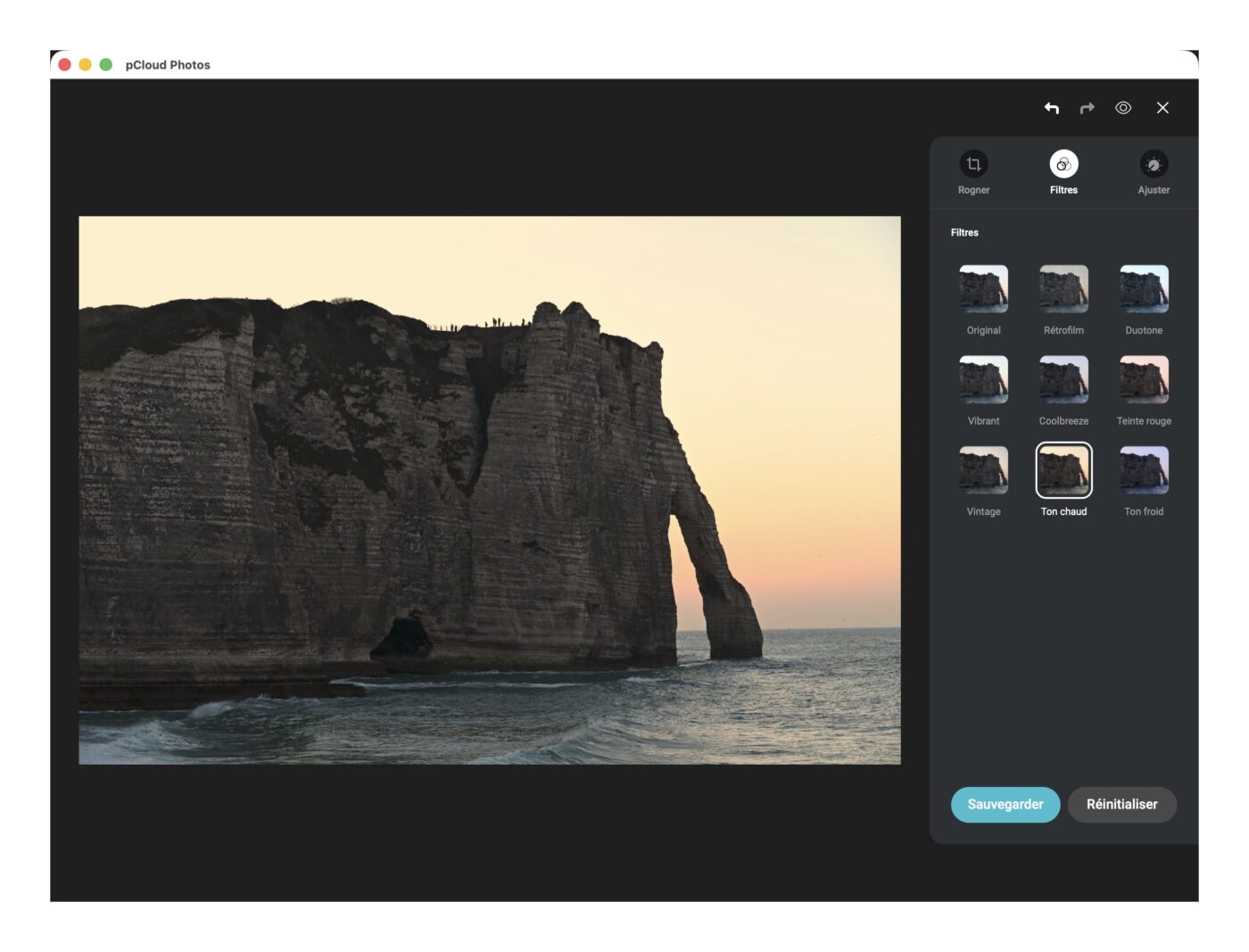
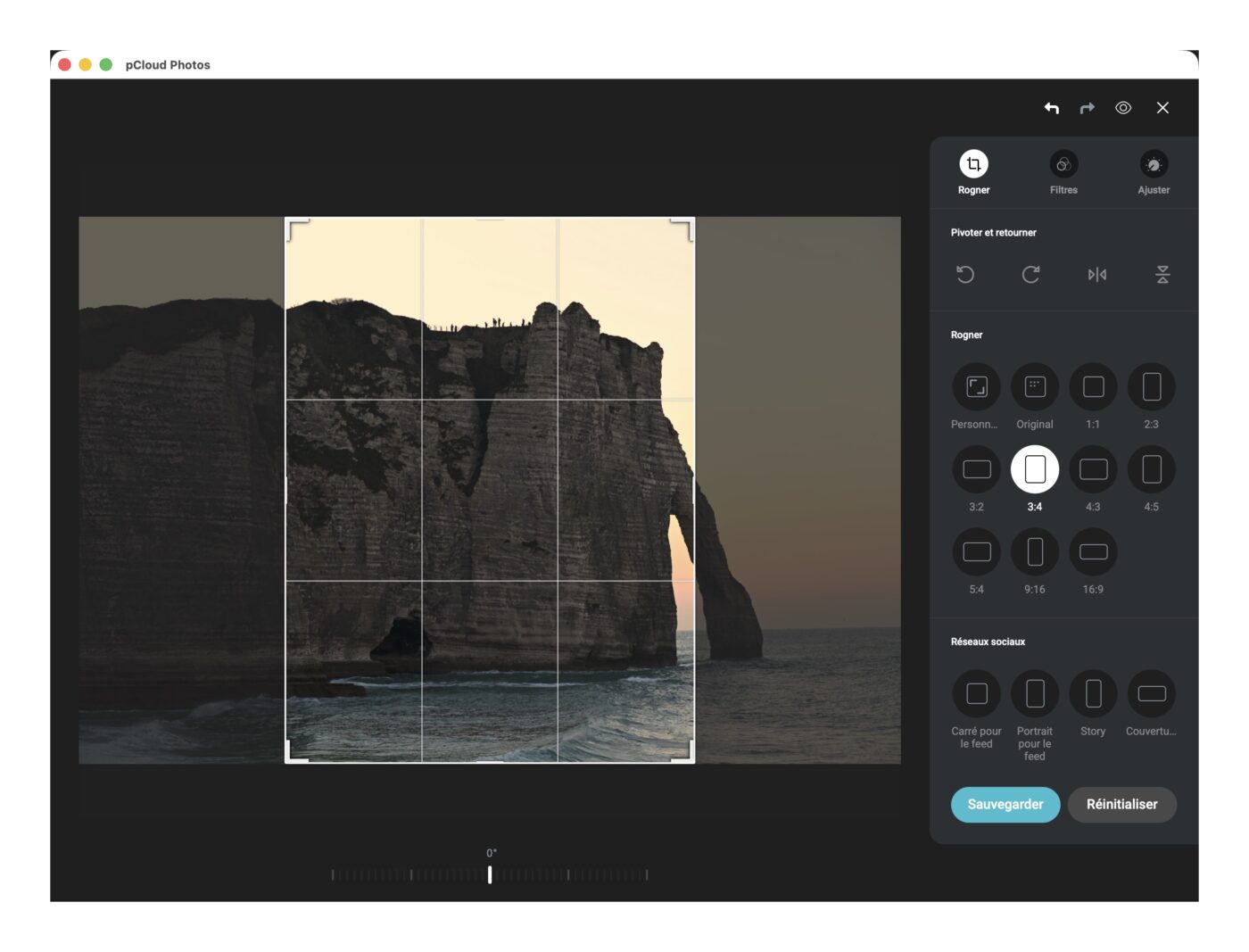
A pleasant surprise: the editor works on both JPEG and RAW files. pCloud states that this feature is still in beta, but during our tests, it proved perfectly functional.
To be honest, you are not going to develop your RAW files professionally with this, it is far too limited to replace Lightroom, for example. Still, this editor has its uses for quick retouches before sharing on Instagram or sending a fast delivery to a client. You save a few clicks by avoiding the back-and-forth just to crop a photo. A welcome bonus.
pCloud Photos, Audio, Docs
pCloud offers two dedicated interfaces for browsing your content: pCloud Photos and pCloud Audio (on web and mobile).
The Photos interface displays all your image files (JPEG, PNG, RAW) and videos as a chronological gallery. A scroll lets you quickly navigate between years, months and days. This is convenient for finding photos from a specific period, regardless of which folder the photo is stored in. Some photos are even grouped as “memories”. And recently, it became possible to exclude a folder from the gallery view so it does not clutter your images, for example if you have screenshots or photos of receipts.
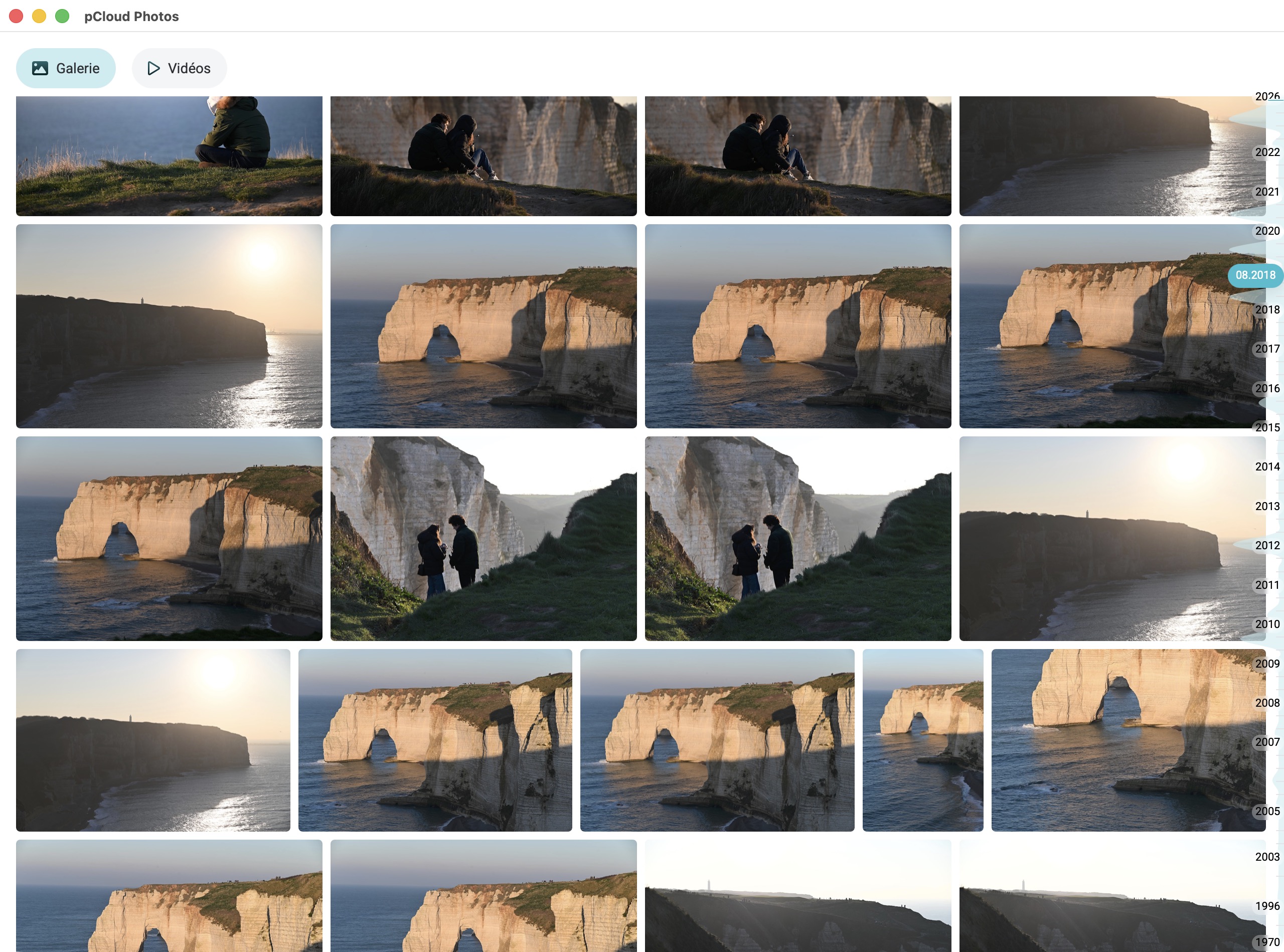
One small regret: there is no way to search your images by EXIF metadata (camera body, focal length, ISO, etc., or even description). Navigation remains purely chronological and visual. In this regard, we are far from a Google Photos experience.
The Audio interface works on the same principle, grouping all your music files (MP3, FLAC, etc.) in a single dedicated window. Handy if you also store your music library in pCloud.
Finally, pCloud web also includes editing tools for Word, Excel, PowerPoint, PDF files and more, thanks to the Only Office integration, effectively turning it into an online office suite.
As we can see, pCloud is very comprehensive and goes well beyond simple file storage: the service aims to offer a complete multimedia and office content management experience.
Performance tests: upload and download in real-world conditions
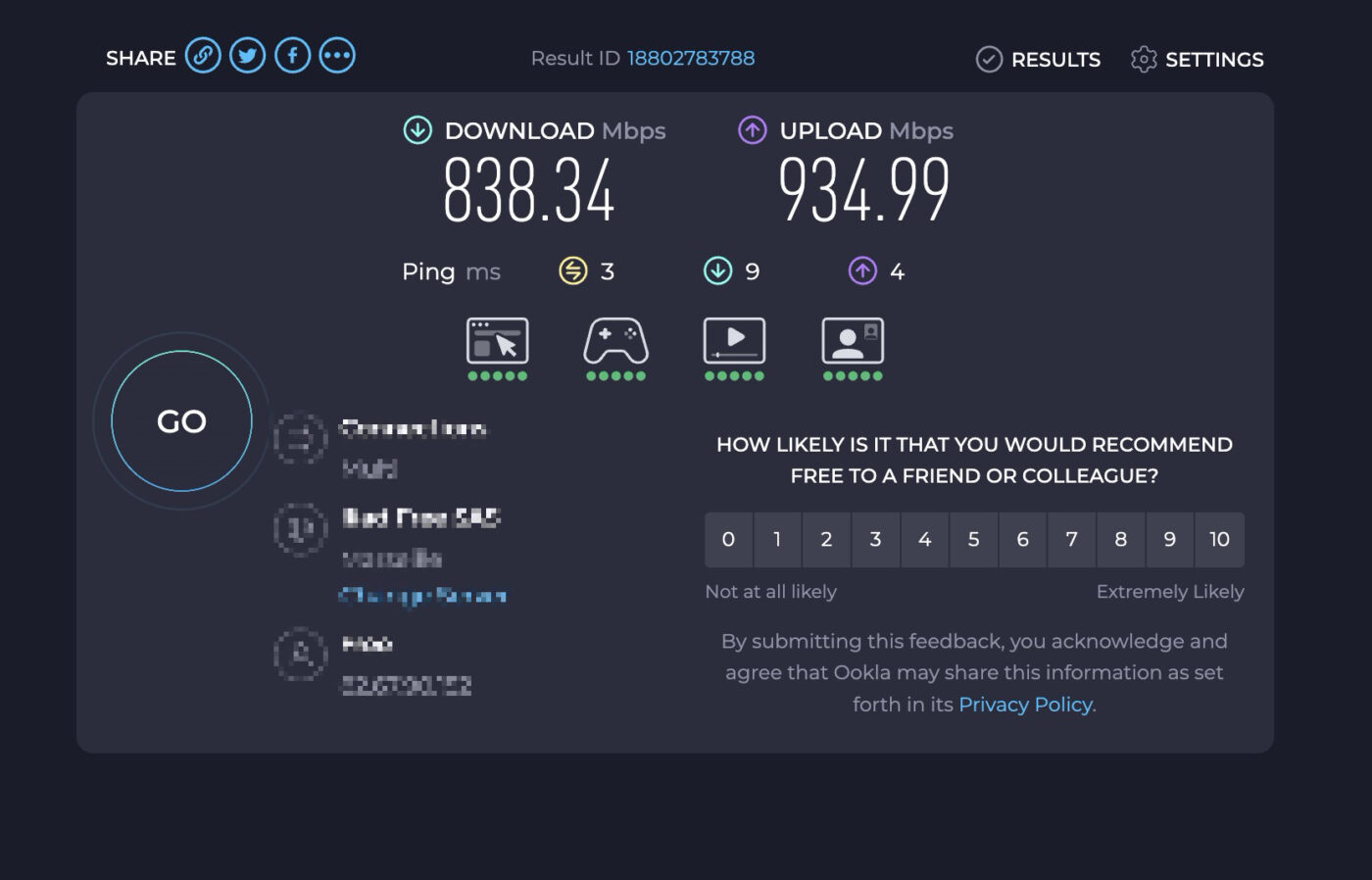
To evaluate pCloud’s real-world performance, we conducted several transfer tests from a MacBook Pro M1 Max over a wired Ethernet connection on a high-speed symmetrical fiber line (838 Mbps download, 935 Mbps upload according to Speedtest at the time of writing). The goal: to determine whether pCloud efficiently uses available bandwidth, especially on very high-speed connections.
pCloud upload speed
Here are the results for uploading a full assignment folder (24.72 GB, 1,238 RAW and JPEG files):
- average throughput: 510 Mbps (63.8 MB/s)
- peak throughput observed: 79 MB/s
- total time: 6 min 35 s
- bandwidth utilization: 55% of our upload connection (935 Mbps)
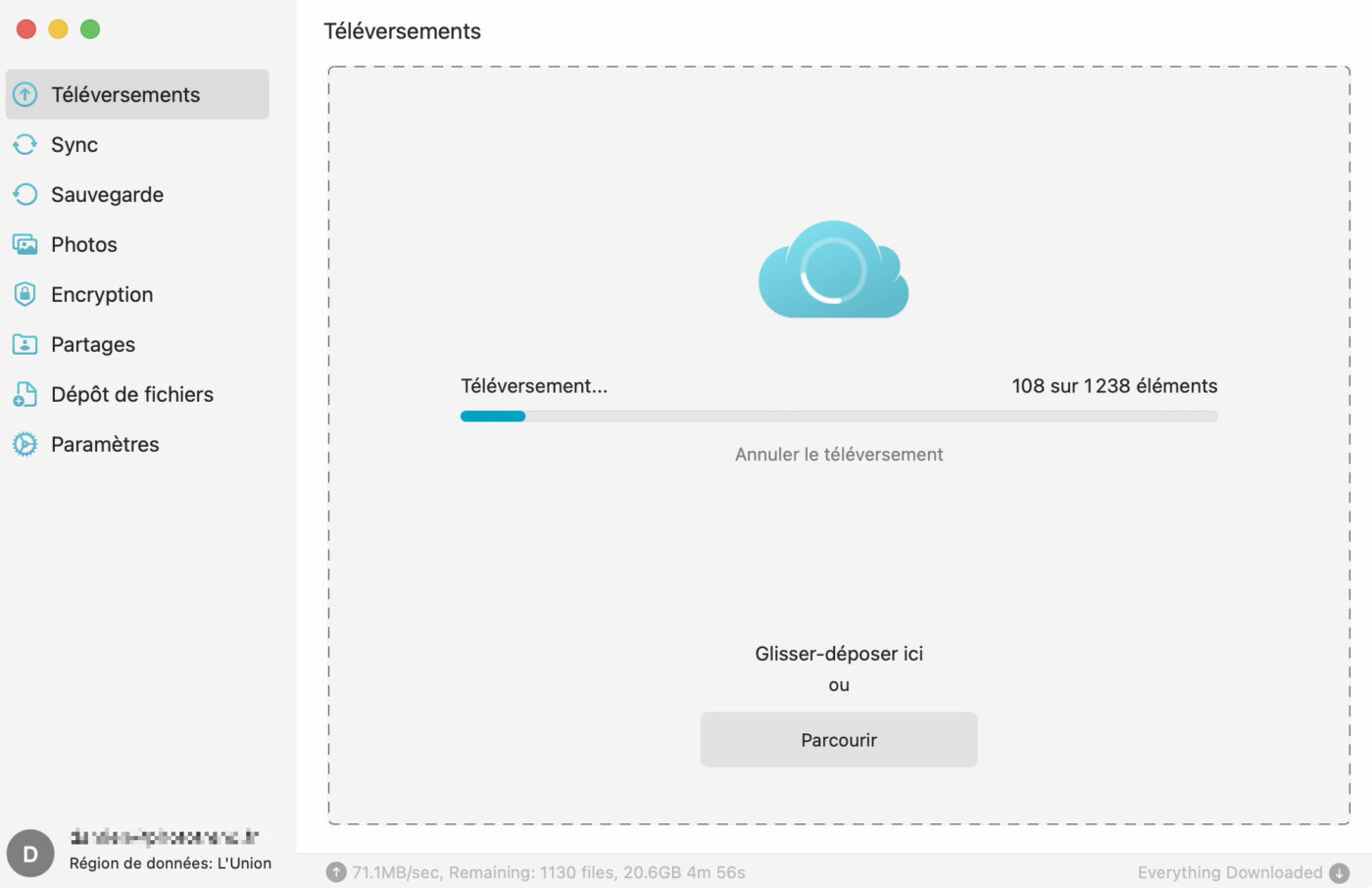
First takeaway: pCloud caps out at around 500-510 Mbps on upload, even on a connection capable of reaching 935 Mbps. Here, it is pCloud’s servers that limit the transfer speed, not our connection.
That said, being able to upload roughly 25 GB of data in about six and a half minutes (over 1,200 photos) is an excellent performance, placing pCloud as a very fast storage solution.
pCloud download speed
In the other direction, for downloading a 1 GB zip archive, here are pCloud’s results:
- average throughput: 138 Mbps (17.2 MB/s)
- total time: 58 seconds
- bandwidth utilization: 16% of our download connection (838 Mbps)
On the download side, throughput is significantly more modest and only uses a fraction of our available bandwidth.
In practice, this is not really a problem: downloading 1 GB in under a minute is perfectly decent, and here too, pCloud is on par with many competitors.
Key takeaways
For standard high-speed connections (100-200 Mbps): pCloud will likely saturate your line. Your internet connection will be the limiting factor.
For very high-speed connections (500+ Mbps): pCloud caps out at around 500 Mbps on upload. You will not use your full bandwidth, but transfers remain very fast in absolute terms, roughly 1 minute per 5 GB uploaded.
Unlike some cloud services that enforce strict per-user throttling, pCloud delivers comfortable throughput. For a photographer syncing folders in the background after a day of shooting, the performance is more than adequate.
Client sharing: branded links and password protection
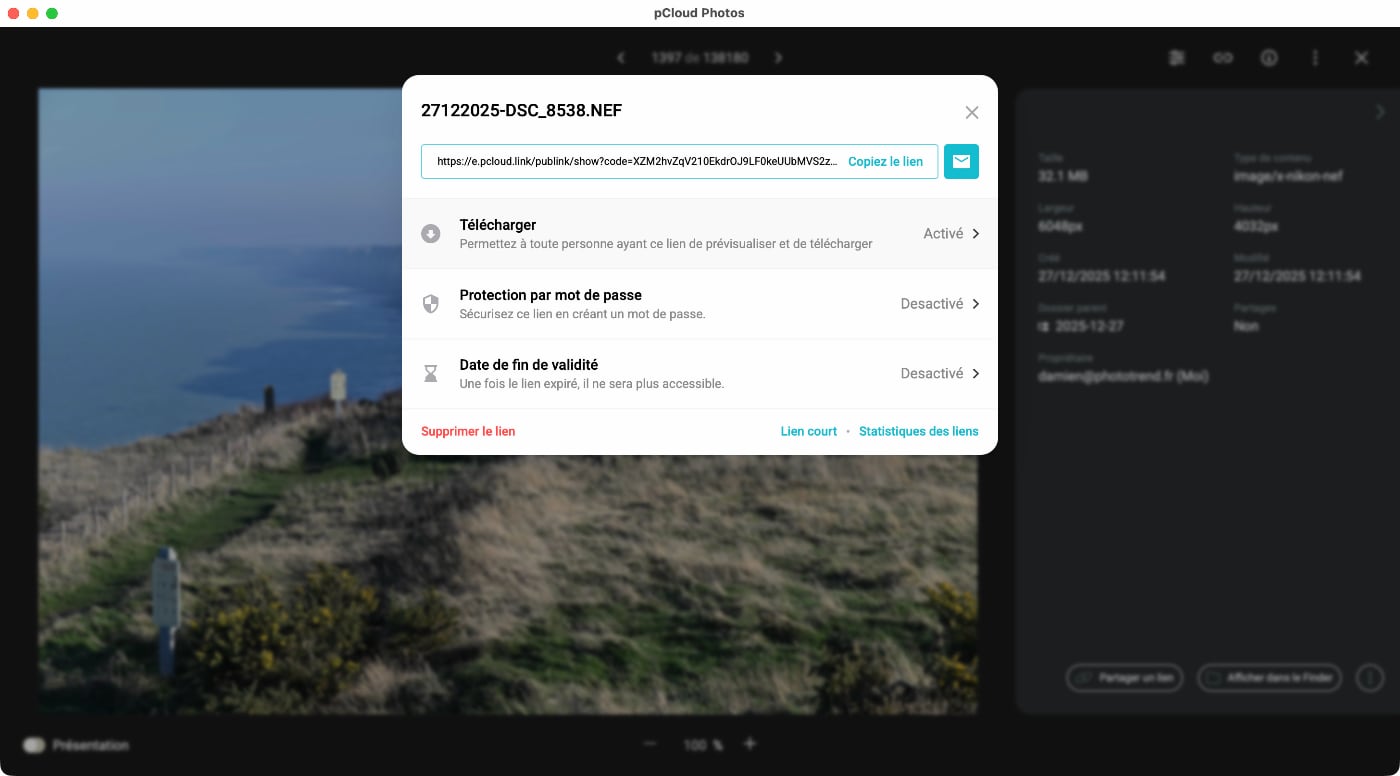
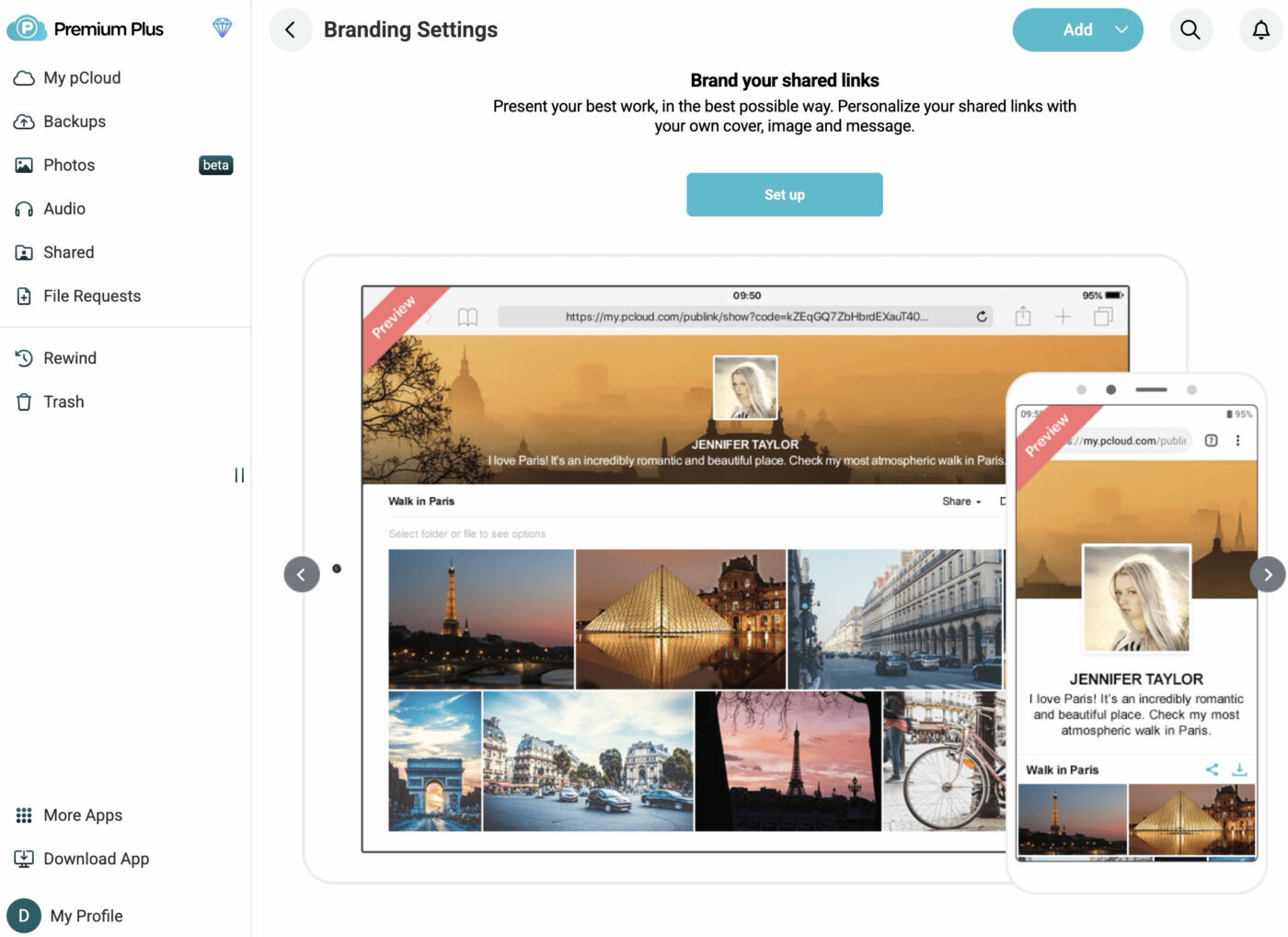
In addition to its cloud storage capabilities, pCloud can be very interesting for photographers who regularly share photo galleries with family or clients. Beyond standard folder sharing via a link, which all other services already offer, it is possible to customize the appearance of shared folders, a feature called “Branded Links”.
Once a link is shared, you can manage the shared folder’s settings. You can allow people with the link to upload files (for example for a group shared album), either for anyone with the link, or only for authorized users.
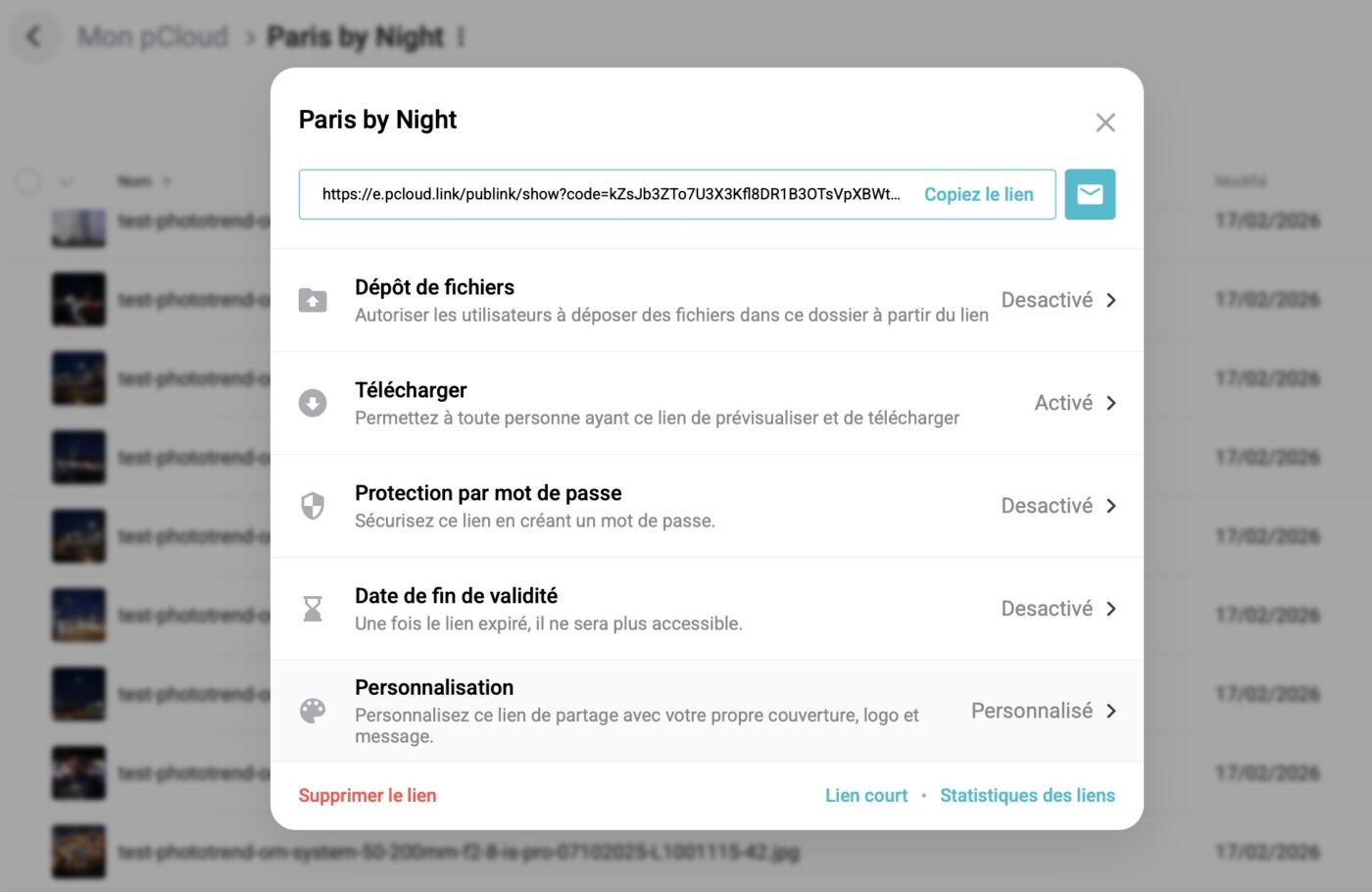
You can also allow or disable file downloads, protect the folder with a password, set a link expiration date, and customize the folder’s appearance, a particularly interesting feature for photographers.
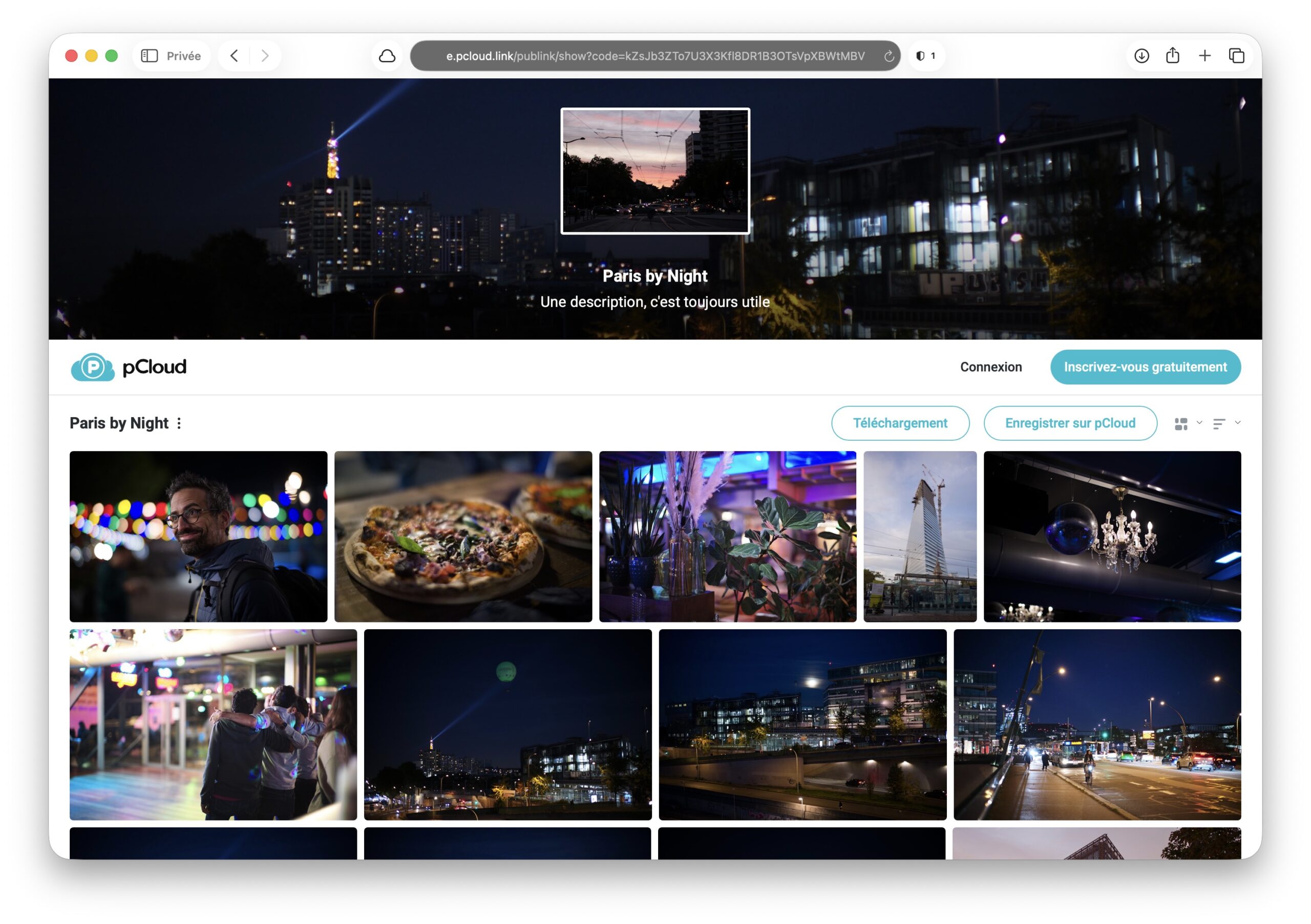
You can add a cover image, a title and a custom description, and choose how images are displayed.
Statistics let you see how many people have viewed the folder and which files they downloaded. Handy for tracking client approval during a shoot.
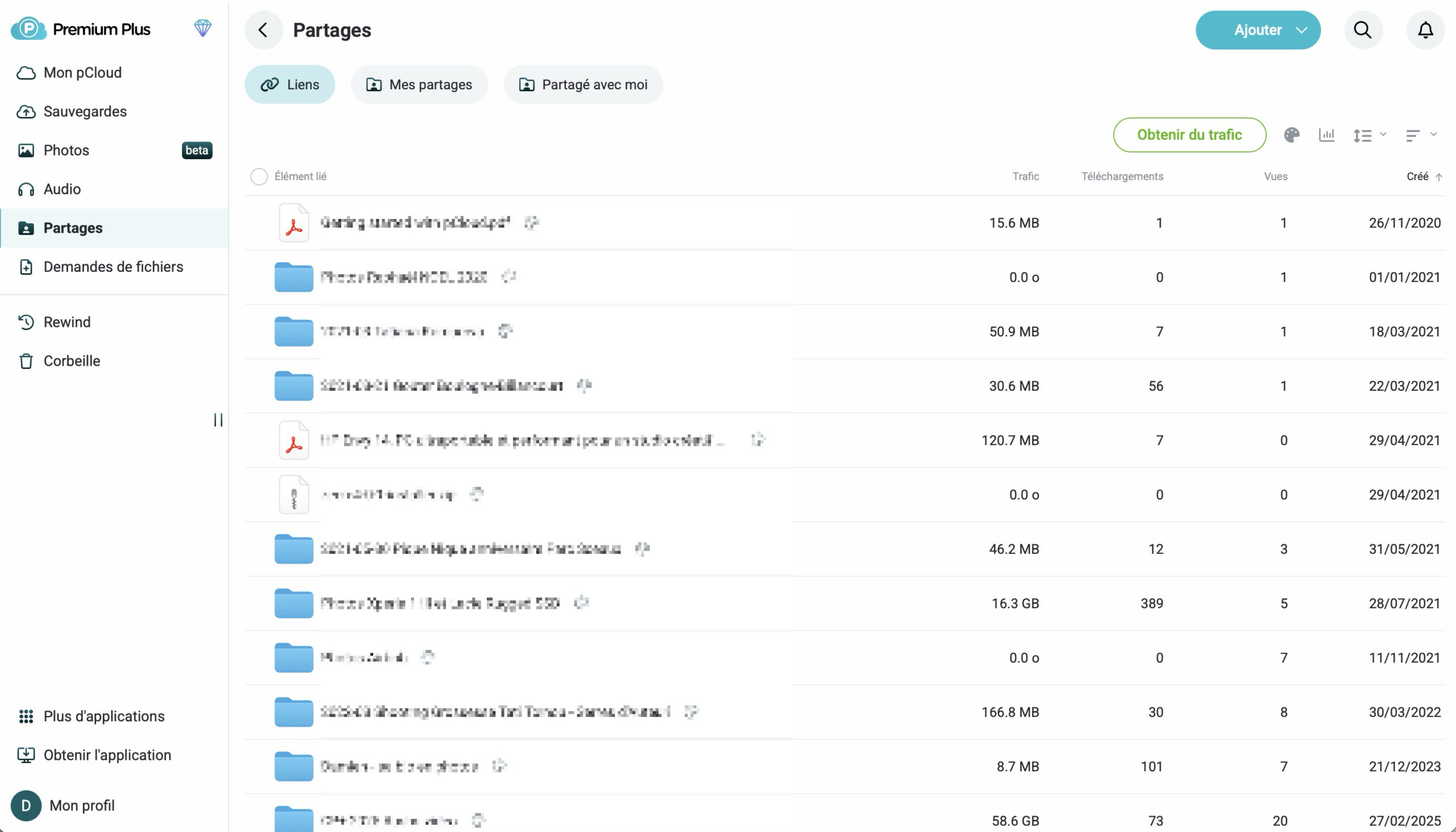
Be aware though, there is one limitation: download bandwidth for shared links is capped at 500 GB/month on Premium and 2 TB/month on Premium Plus.
For a professional photographer regularly sharing JPEG galleries, the Premium quota should be sufficient. It is however possible to increase link traffic. It is a shame though that it is not possible to remove the pCloud logo at the bottom for a fully white-label experience.
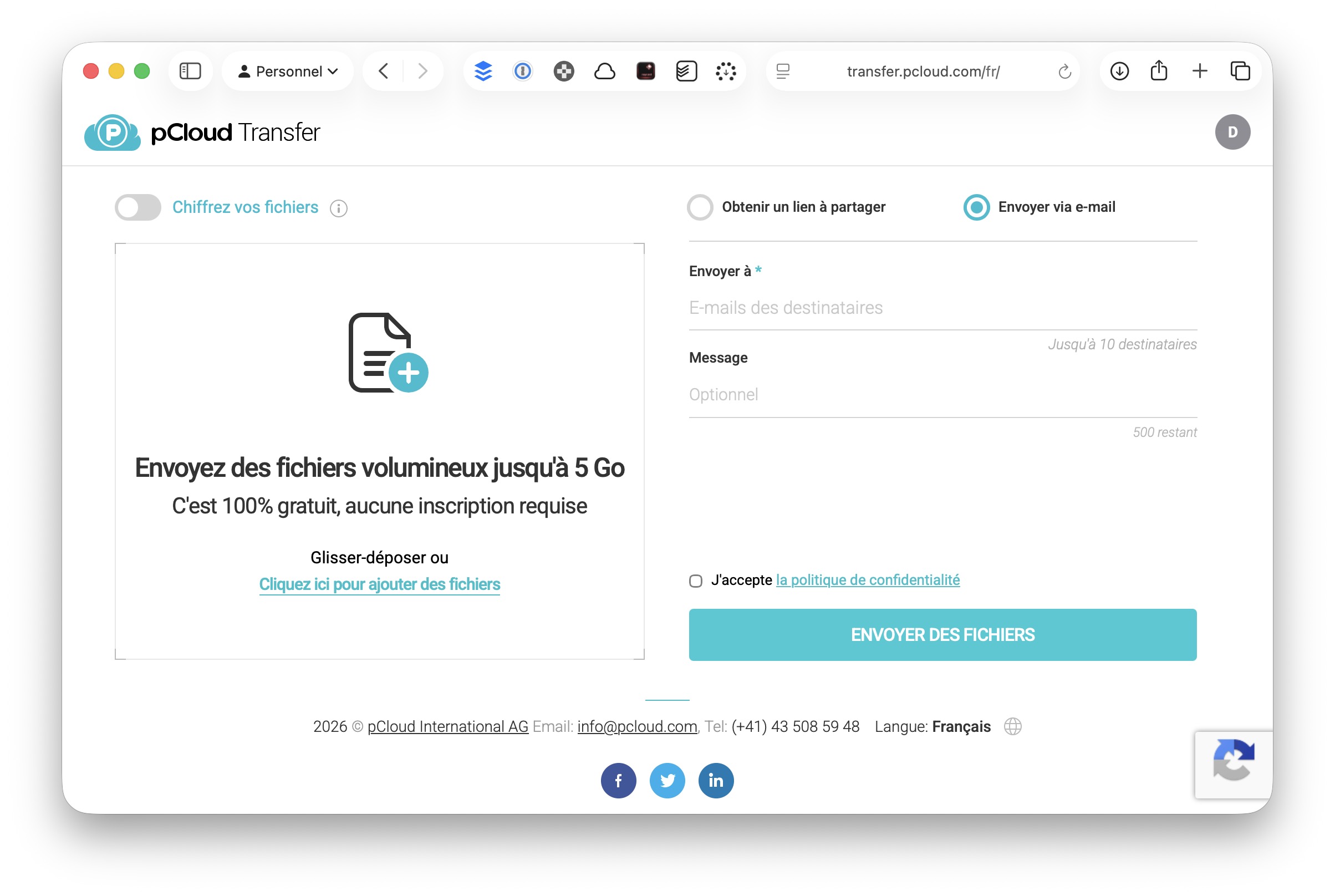
During our testing, we also discovered that pCloud offers an alternative to WeTransfer, Smash or SwissTransfer with pCloud Transfer. The service lets you share files or folders up to 5 GB for free, without registration. Files can also be encrypted with a password.
Security and sovereignty: the European argument against the Cloud Act
In the current political context, the question of data location takes on its full meaning for French professionals.
Swiss architecture, Luxembourg servers
pCloud AG is a Swiss company subject to Swiss privacy legislation. Your data can be hosted in Luxembourg, in the heart of the European Union, with strict GDPR compliance.
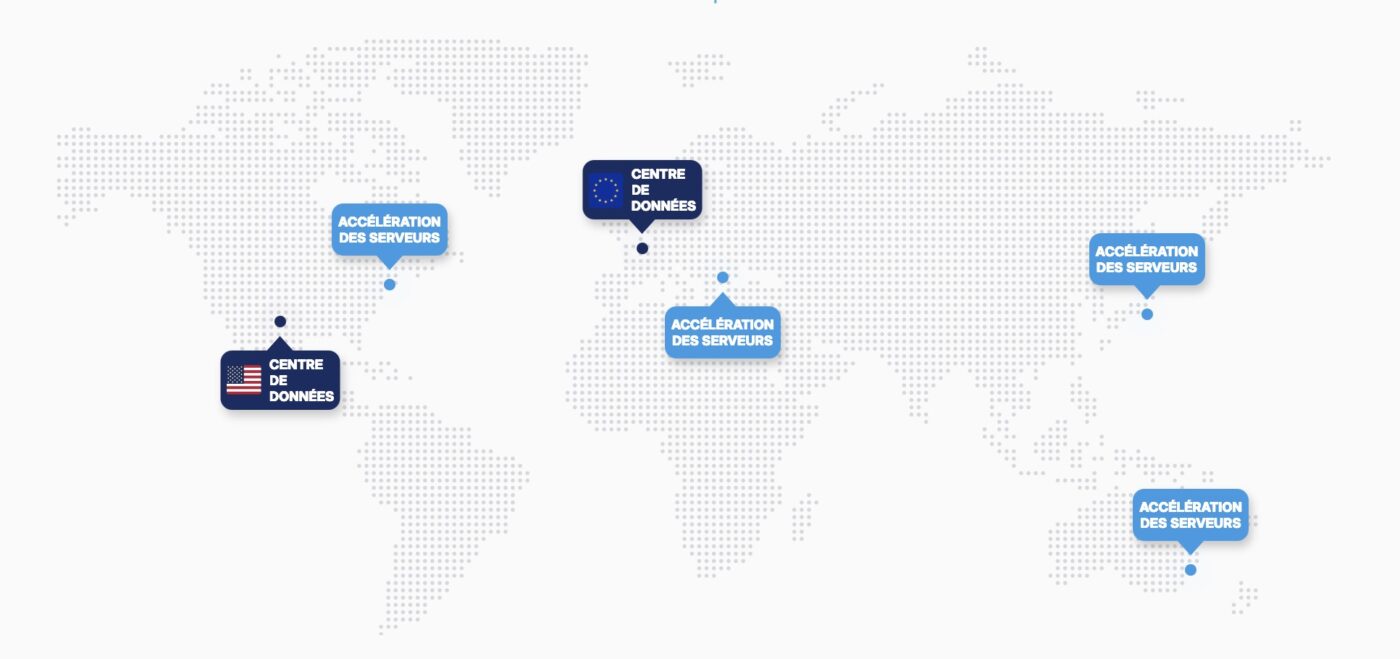
A crucial point: pCloud owns its own data centers and does not rely on leased infrastructure from AWS, Azure or Google Cloud. According to the company, files are replicated across at least 5 copies on at least 3 separate servers, with SSAE 18 SOC 2 Type II certifications. A strong mark of reliability, even though this is now standard in the cloud storage industry.
Why is storing your data on a European company’s server important? The US Cloud Act of 2018 authorizes American authorities to demand access to data stored by American companies, regardless of the physical location of the servers. Even if Google or Microsoft host your photos in a Parisian data center, they are still required to hand them over upon US request.
pCloud, as a Swiss company not subject to the Cloud Act, falls outside this jurisdiction. For photographers working with sensitive clients (public figures, corporations) or simply concerned about privacy, this is a significant argument.
Finally, pCloud also offers a pCloud Encryption option (49 € one-time payment, or available as a monthly subscription at 4.99 €) that adds client-side zero-knowledge encryption. Your files are encrypted locally on your computer with your personal key before upload.
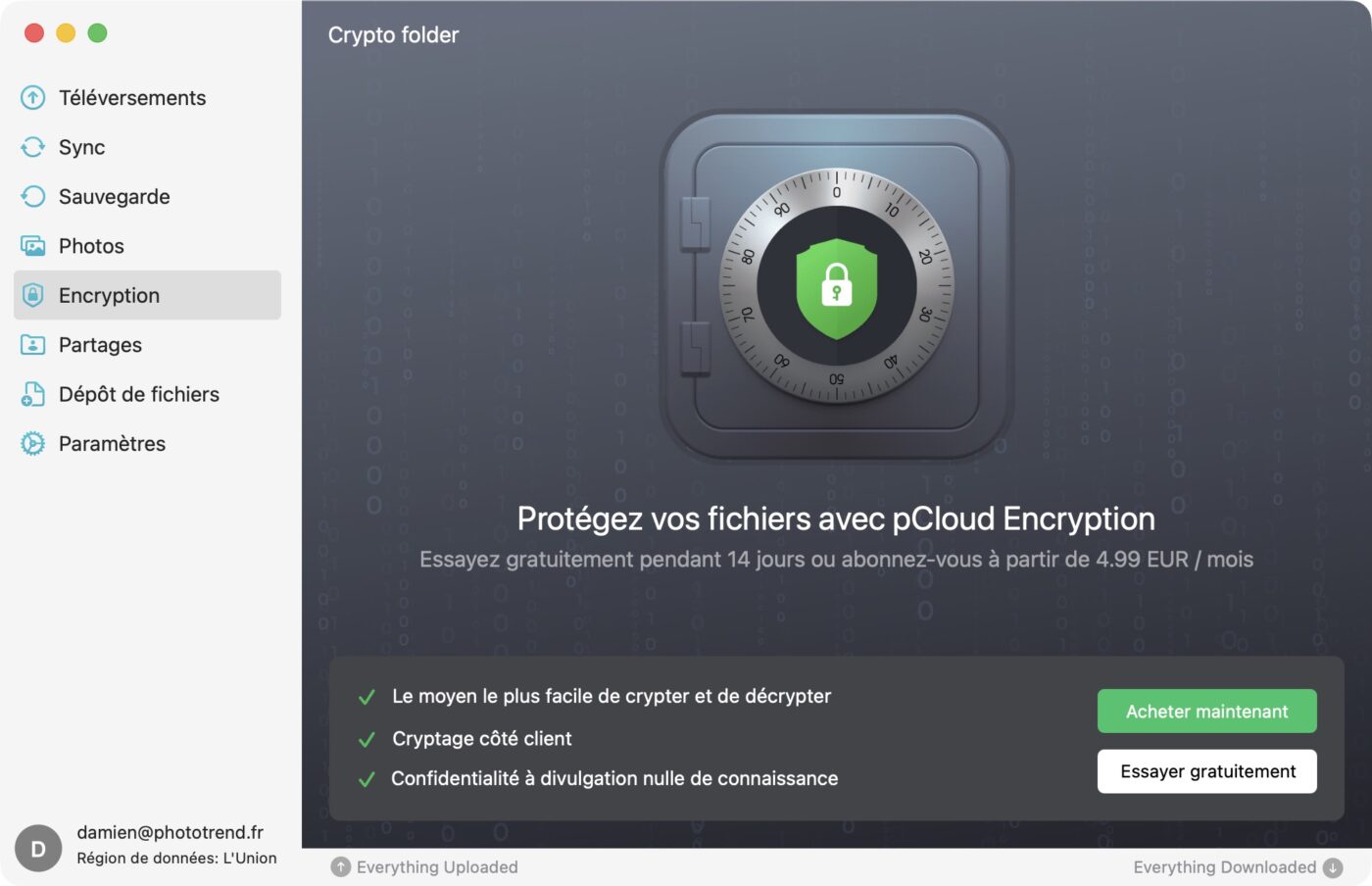
pCloud technically has no access to your decryption key. Even in the event of a legal request, the encrypted files would be unusable without your password. The downside: if you lose this password, your data is permanently inaccessible, with no recovery possible.
Conclusion
All things considered, pCloud stands out as a credible and mature alternative to the cloud storage giants. After several years of daily use, the verdict is clear: the service delivers on its promises.
The lifetime plan at 399 € for 2 TB (before any promotion) remains its strongest asset, paying for itself in just over three years compared to Google One or iCloud. Upload performance is excellent, RAW file support is convincing with previews generated natively in the cloud, and the customizable sharing options will appeal to photographers working with clients.
Swiss hosting with servers in Luxembourg also provides a strong security and data sovereignty argument, very relevant in the current context.
For archiving, backing up and sharing your photos without a recurring subscription, pCloud is today one of the most compelling options on the market.
As for pricing, pCloud offers three lifetime plans: 199 € for 500 GB, 399 € for 2 TB and 1,190 € for 10 TB. Monthly and yearly subscriptions are also available, from 4.99 €/month to 19.99 €/month depending on capacity. Note that pCloud regularly runs promotions, so feel free to subscribe to our newsletter to stay informed.
A free trial offers 10 GB of free storage.
